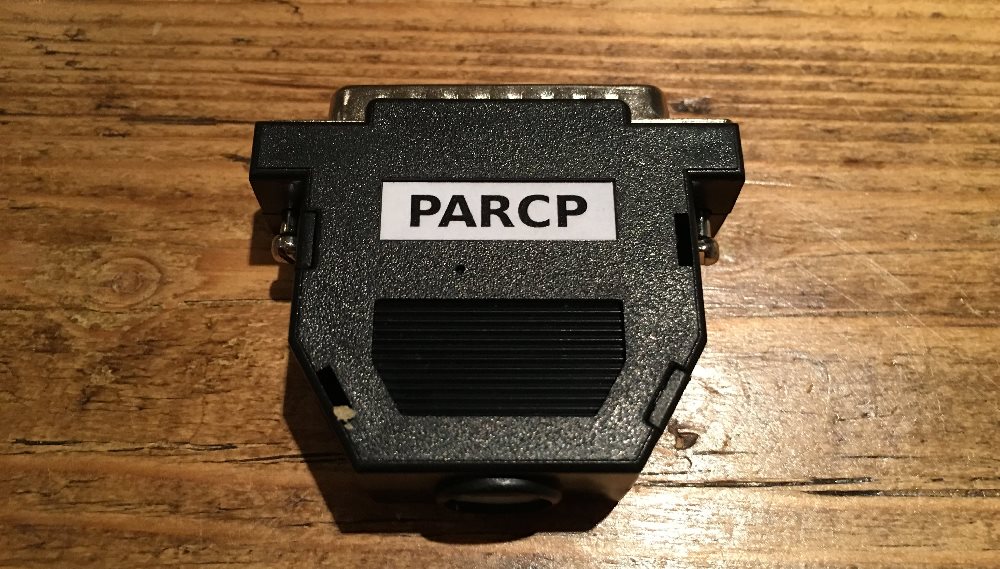
PARCP (short for PARallel CoPy) has been used since 1996 to copy files between two computers over their parallel ports. Modern PCs no longer have parallel ports, so the author built the PARCP-USB adapter: a small dongle that converts the PARCP data stream between a parallel port on one side and USB on the other.
What it is
The adapter has an Atari ST parallel connector at one end and a mini-USB socket at the other. You plug the parallel side straight into the ST, connect the USB side to a PC with a plain cable, and run the PARCP software on both machines — PARSERVE.TOS on the ST, PARCP.exe on the PC. The PC client gives you a two-pane file browser; select a file, press F5, confirm, and it transfers.
Why I rate it
Because the ST’s parallel port has decent bandwidth, transfers are quick — much faster than a serial cable, and without the fiddliness of setting up a TCP/IP stack. It is a tidy, single-purpose tool: one dongle, one cable, one program at each end. For a quick “get this disk image onto the ST” job it is one of the most convenient options.
Where it fits
Against the other PC-to-ST transfer methods:
- Faster than floppy disks or a serial cable (Ghostlink / ZMODEM)
- Simpler than the NetUSBee, which needs drivers and a network
- Not bulk storage — for keeping a whole library on the ST, an UltraSatan SD card is the better choice
You do still need one working floppy drive to get the ST-side PARCP binaries onto the machine in the first place.