Dell OptiPlex 760

Computers, PC

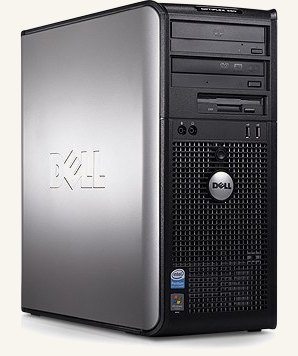
The Dell OptiPlex 760 is a later Core 2-era business desktop built around Intel’s Q45 platform. It sits in an interesting middle ground: modern enough to be fast, cheap, and easy to source, but old enough to expose some genuinely useful expansion and legacy-friendly features.

I am mostly interested in this machine as a retro gaming platform. The question is not just what hardware is inside it, but whether it is actually fun and useful for playing older PC games.

For this class of machine, the three main targets are:

  • DOS
  • Windows 98
  • Windows XP

This page is intended as a hardware overview and reference page for the machine itself, with a high-level take on how well it fits those three use cases. For deeper write-ups on specific experiments, see the linked posts.

Specifications

Exact configurations vary, but most OptiPlex 760 systems share the following characteristics:

  • CPU: Intel Core 2 Duo or Core 2 Quad
  • Chipset: Intel Q45 Express
  • Memory: DDR2 (commonly 2GB to 8GB installed)
  • Storage: SATA hard drive or SSD
  • Graphics: Intel GMA 4500 (onboard)
  • Expansion: PCI Express x16, PCI
  • Form factors: Desktop and small-form-factor (SFF)

Like most business systems of its era, the 760 is extremely common and inexpensive on the second-hand market.

My machine

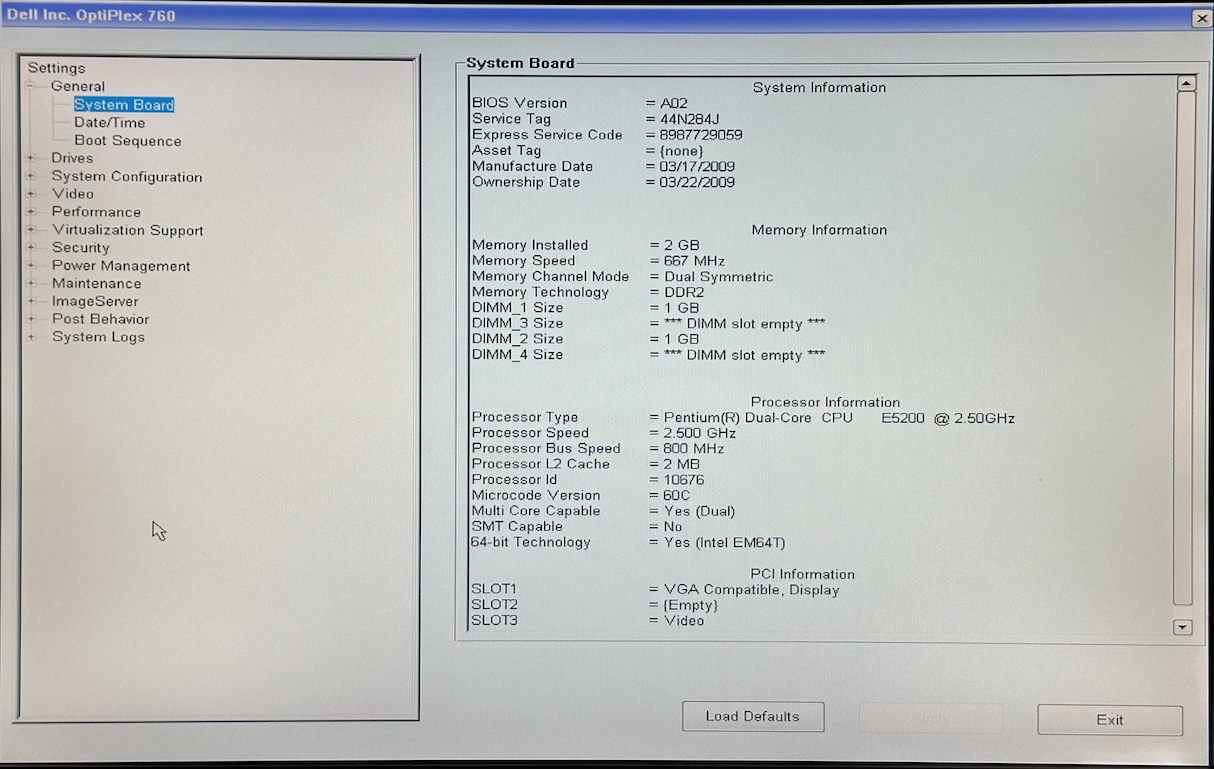
The notes on this page are based on my own OptiPlex 760 with the following configuration:

  • BIOS: A02
  • Board manufacture date: 2009-03-17
  • CPU: Pentium Dual-Core E5200 @ 2.50GHz
  • Front-side bus: 800MHz
  • L2 cache: 2MB
  • Memory: 2GB DDR2
  • Memory speed: 667MHz
  • Memory mode: dual-channel symmetric
  • DIMM layout: 1GB in DIMM 1, 1GB in DIMM 3

This is not a top-spec 760, but it is representative of the kind of cheap office configuration these machines often appear in on the second-hand market.

Chipset and onboard devices

One useful detail for retro testing is the platform makeup:

  • Chipset: Intel Q45 Express
  • Southbridge / I/O controller: Intel ICH10
  • Onboard audio codec: Analog Devices AD1984A

Those parts matter because later Intel southbridges and HD Audio codecs tend to be much less friendly to Windows 98 and classic PCI sound hardware than earlier systems.

High-level retro gaming verdict

At a high level, the OptiPlex 760 feels like this:

  • DOS: surprisingly good
  • Windows 98: possible, but awkward
  • Windows XP: the natural fit

That split is really the story of this machine. It has enough speed and expansion to be interesting, but it is just new enough that Win98 and some legacy acceleration paths stop being straightforward.

BIOS tweaks used for retro testing

To reduce interference from modern CPU power-management features, I disabled the following in the BIOS:

  • Multi-core support
  • Intel SpeedStep
  • C-States control

These changes do not guarantee Windows 98 success, but they help reduce the number of advanced CPU behaviours that Win9x was never designed to handle.

In my case, the processor is a dual-core Pentium E5200, so disabling multi-core support is especially relevant when trying to make older operating systems behave.

Why the OptiPlex 760 is interesting for retro builds

Despite its age, the 760 still offers several traits that make it worth experimenting with:

  • Strong Core 2–class performance for late DOS and Win9x-era CPU-heavy titles
  • Practical expansion options for discrete GPUs and add-in cards
  • A motherboard serial header, which can be leveraged to restore more reliable legacy input

However, it also lacks one particularly helpful feature found on some earlier Dell systems.

What I care about on a machine like this

When judging whether this hardware is worth keeping around for retro games, I mainly care about:

  • how well it handles late DOS games
  • whether Windows 98 is practical rather than merely possible
  • whether it makes a strong Windows XP gaming box
  • whether input, sound, and graphics setup feel fun or frustrating

The missing feature: no BIOS RAM-limiting mode

Unlike the Dimension E520 and some other Dell models, the OptiPlex 760 does not appear to include an “OS Install” BIOS option that limits available memory to 256MB.

This matters because Windows 98 becomes unstable on systems with large amounts of RAM unless you:

  • Physically reduce installed memory, or
  • Apply a Windows 98 memory and VCache patch

Practical takeaway: if you want to experiment with Windows 98 on the OptiPlex 760, you must plan a memory strategy rather than relying on BIOS assistance.

Input: serial header and PS/2 keyboard support

One notable advantage over many consumer systems:

  • The OptiPlex 760 includes a serial header on the motherboard
  • By adding the appropriate header or bracket, I was able to use a PS/2 keyboard

This is particularly valuable because USB keyboards and mice can be laggy or unreliable in DOS on some Dell platforms. Having a path to traditional input is a genuine quality-of-life improvement.

The header is the same style used on the OptiPlex 380:

Retro gaming notes

At a hardware level, the machine looks promising for experimentation:

  • plenty of CPU performance for DOS and Windows XP-era games
  • practical PCI and PCIe expansion
  • workable legacy input options via the serial header

Where it becomes more challenging is platform behaviour, especially for Windows 98, HD Audio, and some older PCI accelerators.

Rather than duplicate all of the test results here, the detailed compatibility findings are better handled in a separate post focused on the experiment itself.

DOS

High-level take: better than expected.

Pros:

  • plenty of CPU performance for demanding DOS games
  • serial header gives a path to better legacy input
  • looks promising as a DOS gaming machine with the right sound approach

Cons:

  • later platform quirks still mean some setup work
  • USB input is not ideal, so you need to care about legacy keyboard and mouse options

Windows 98

High-level take: possible, but not naturally friendly.

Pros:

  • enough horsepower for a very fast late Win98 system
  • PCIe graphics options make experimentation interesting

Cons:

  • no BIOS RAM-limiting mode
  • HD Audio is a weak point
  • some classic acceleration paths, especially Voodoo 2, look problematic

Windows XP

High-level take: this is where the machine makes the most sense.

Pros:

  • hardware generation lines up well with XP
  • fast enough to feel effortless
  • modern-enough GPU options become much easier to use

Cons:

  • less novel than the DOS/Win98 angle
  • if XP is your only goal, there may be many other equally good Core 2 machines

Learn more

A case-study write-up on what worked, what failed, and why the 760 is a better XP/DOS machine than a straightforward Win98 one:

Other Posts