In the last post, I went hunting for the fastest motherboard and CPU that can (in theory!) still play DOS games on an old-school, Sound Blaster compatible card. Luckily, I already owned two boards that fit the bill: an ASUS Z87-PRO and a Supermicro X10SAE.
Now for the real test: can I get it all working?
Why it won’t just work
I don’t expect to just plug a PCI sound card in and have DOS games find it. As I covered last time, a game’s write to the standard Sound Blaster address (220h) has two hops to make before it reaches the card:
- The chipset’s PCIe root port
- The PCIe-to-PCI bridge
By default, neither one will route writes to the sound card.
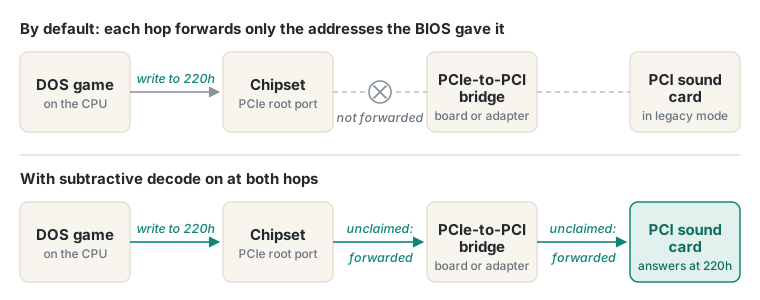 The two hops again. Both need subtractive decode turned on.
The plan is to turn on subtractive decode at both hops. This means addresses nobody else claims, like 220h, will fall through to the card. That’s the theory, anyway. I’m hoping it routes them correctly, but I won’t know until I try.
Subtractive decode starts out disabled, so we’ll need to enable it ourselves, by changing the PCI configuration registers.
A quick detour: registers and PCI configuration space
A register is a small storage slot inside a chip, usually 8, 16 or 32 bits wide. Software reads them to find out what the chip is doing, and writes them to tell it what to do.
Every PCI device, including bridges and the chipset’s root ports, has a block of these called its configuration space. The first part tells the PC what the device is, who made it, etc. But the rest is up to the chip’s maker, and that’s where features like subtractive decode live.
The BIOS fills most of the configuration space at boot, but software can read and write it at any time while the PC is running. In DOS, we can poke at the registers directly: first to find our device by maker and model number, and then to read or write any byte of its configuration space. Nothing written there survives a power-off. Every boot resets back to the BIOS’s defaults.
But which bits?
After consulting the chipset and bridge datasheets, I found the registers and bits I need:
| Hop | Chip | Register | Bit |
|---|---|---|---|
| Bridge (the Z87-PRO’s adapter) | ASMedia ASM1083 | 40h | Bit 6, “Patch subtractive decode enable (Legacy enable)” |
| Bridge (built into the X10SAE) | IDT 89HPEB383 | 48h | Bit 7, LEGACY |
| Chipset | Intel 8-series root port | ECh | Bit 0, “Subtractive Decode Enable” (SDE) |
Bits are numbered 0 to 7 from the right, and in hex each one has its own value: bit 0 is 01h, bit 6 is 40h and bit 7 is 80h.
But there’s one catch on the chipset side. The 8-series chipset has several root ports, each with its own SDE bit, and its datasheet says only one can be on at a time. So first we need to find out which root port leads to the sound card.
A quick detour: what DEBUG is
Today, debugging usually means stepping through your code in an IDE. Back in the 1980s we had DEBUG.
It’s a small program that came with MS-DOS from the very first version (FreeDOS has its own), and it allows you to debug raw machine state: memory, registers, and I/O ports.
That makes it handy for much more than finding bugs. You can type a few lines of assembly language with its A (assemble) command, set the CPU’s registers with R, run the code with G (go), and see what the registers hold afterwards. In other words, it’s a great way to poke at the hardware directly, built into DOS.
Time to get started!
The Z87-PRO
For the sound card, I picked a Yamaha YMF724. It’s a late-90s PCI card, built to be Sound Blaster compatible in DOS, with Yamaha’s own FM synth on board. Its DOS driver package comes with a setup tool, SETUPDS, that turns on the card’s legacy mode, plus a test program that plays FM music.
The Z87-PRO has no PCI slots, so the card goes in a PCIe-to-PCI adapter: the same one from my Voodoo 2 experiments, with an ASM1083 bridge chip.
The bridge came first. The goal is to turn on one bit: bit 6 of the ASM1083’s register 40h. That takes three calls to the PCI BIOS:
- Find the bridge
- Read the register
- Write it back with bit 6 on
Each call is a few lines of assembly language that load the CPU’s registers with what the BIOS needs, then INT 1A to make the call.
First, find the bridge:
A 100              ; start assembling at address 100h
MOV AX,B102        ; PCI BIOS call B102h: find a device...
MOV CX,1080        ;   ...with device ID 1080h (the ASM1083)
MOV DX,1B21        ;   ...from vendor 1B21h (ASMedia)
XOR SI,SI          ;   ...the first one found
INT 1A             ; call the BIOS. It puts the bridge's location in BX
The BIOS came back with BX=0900: the bridge is on bus 09h.
Next, read register 40h:
MOV AX,B108        ; PCI BIOS call B108h: read a byte...
MOV DI,0040        ;   ...from register 40h (BX still says where the bridge is)
INT 1A             ; call the BIOS. The byte lands in CL
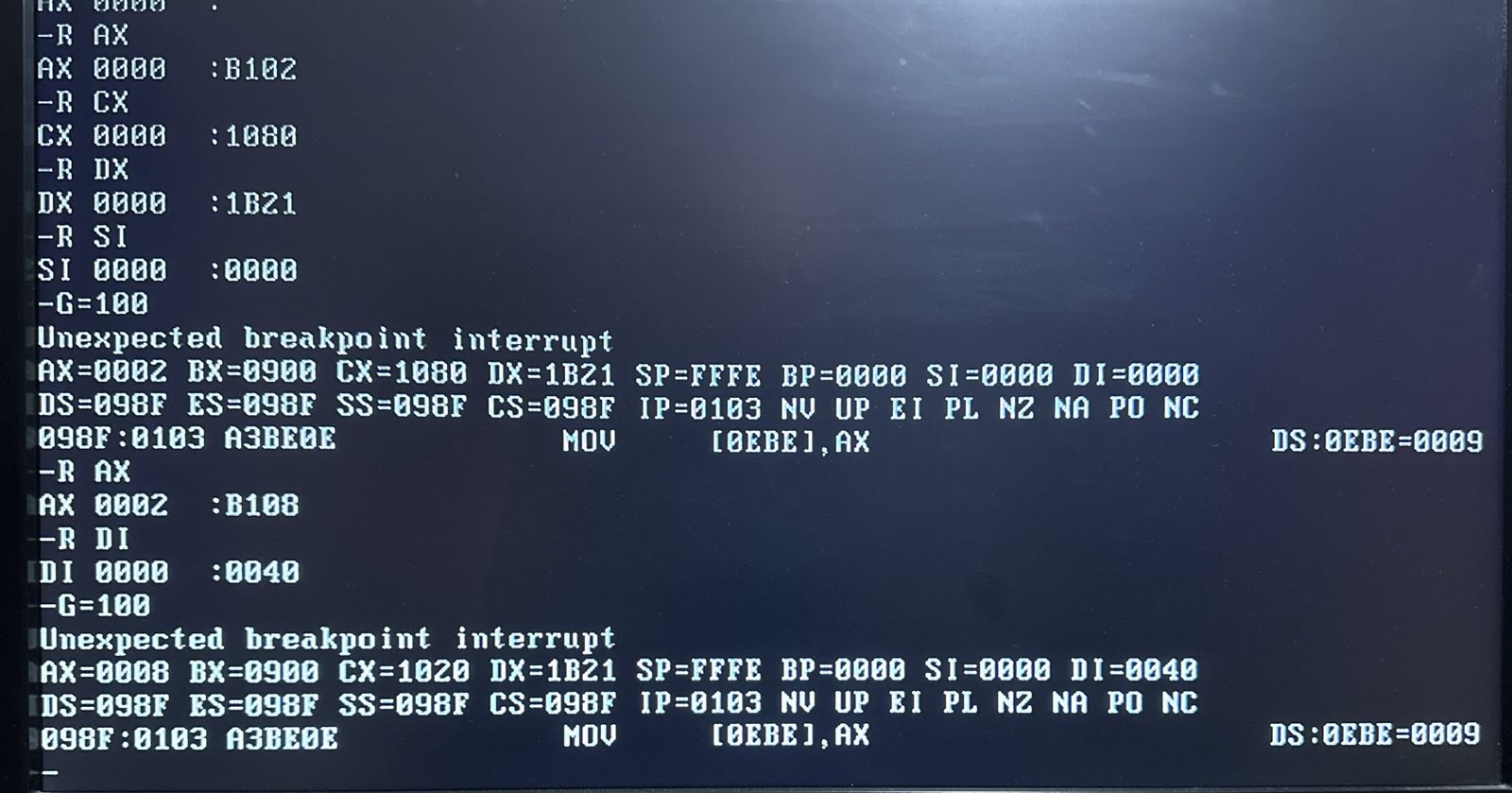 Finding the ASM1083 (
BX=0900), then reading its register 40h (CX=1020).
Here we can see the result. CL is the right-hand half of CX, so the byte is 20h. Bit 6 (40h) is off. And NC (no carry) in DEBUG’s register dump means the call worked.
Then turn bit 6 on:
OR CL,40 ; turn on bit 6 (40h), leaving the other bits alone
20h plus 40h makes 60h.
Finally, write it back:
MOV AX,B10B        ; PCI BIOS call B10Bh: write CL back...
INT 1A             ;   ...to the same register, 40h
INT 3              ; stop, and show the CPU's registers
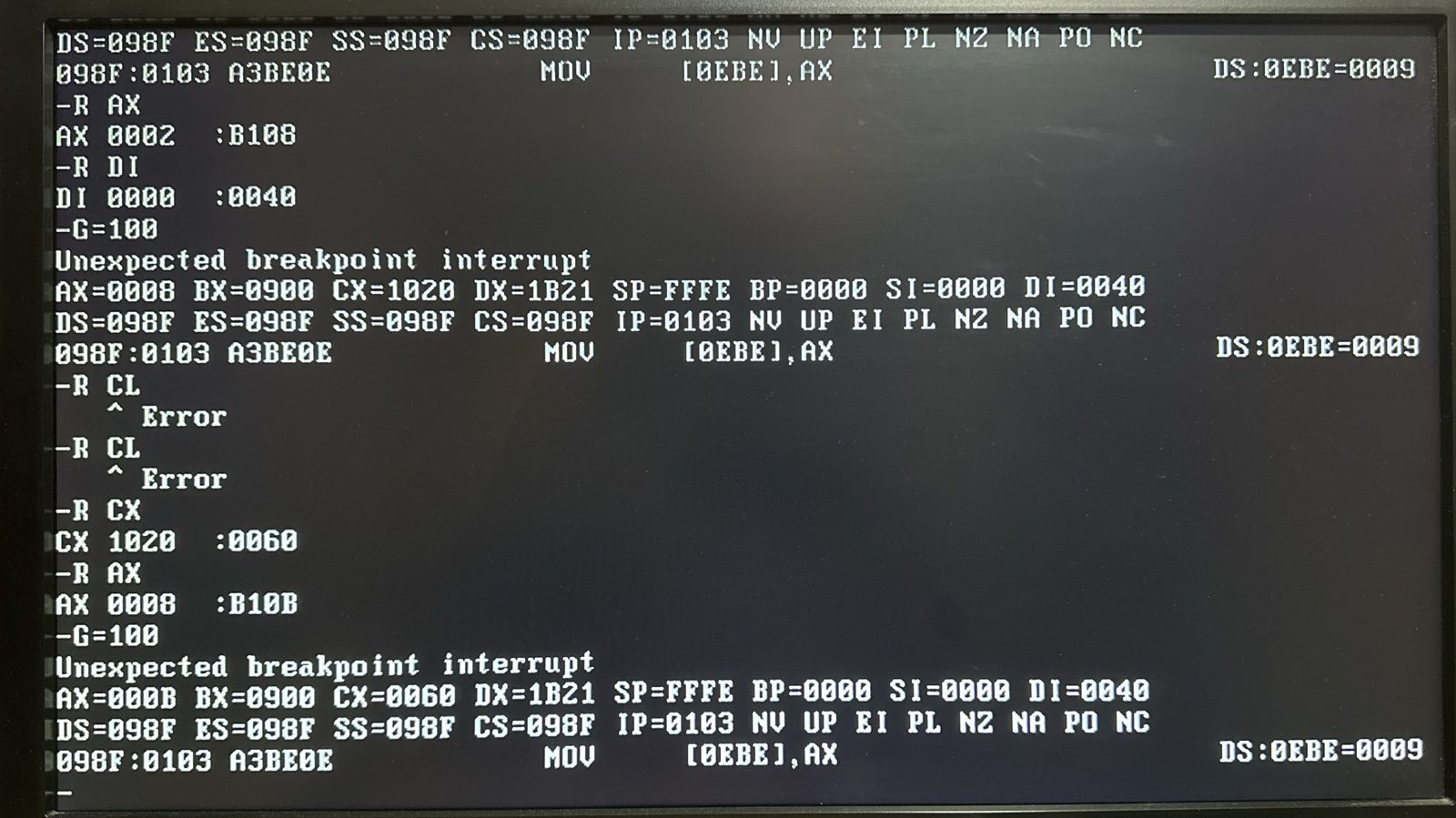 The write.
NC: the BIOS accepted it.
NC again, so the BIOS accepted the write. That doesn’t prove the card can hear anything yet, but it’s one hop done!
Testing the card
OK, time to test the card!
SETUPDS found the YMF724 straight away, and its native sound test played fine. But neither of those uses the old I/O ports. The real test was whether anything could find a Sound Blaster at 220h.
With the bridge fixed and the BLASTER variable set, SETUPDS couldn’t. Neither could Creative’s own SBTEST.
Fixing the chipset
But that was expected. The chipset’s hop was still closed. For that, we need to turn on bit 0 (SDE) of register ECh, on the one root port that leads to the adapter. Same pattern as the bridge.
First, find the right root port:
Unlike the bridge, the root ports don’t need searching for. There are eight of them, numbered 0 to 7, and they’re always in the same place: in BX, they’re 00E0 to 00E7.
Each root port records the number of the bus behind it in register 19h, and (from our exploration earlier) the adapter’s bridge was on bus 09h (the 09 in BX=0900). So I need to read register 19h on each root port in turn, starting with root port 0:
A 100
MOV AX,B108        ; read a byte...
MOV BX,00E0        ;   ...from root port 0 (bus 0, device 28, function 0)
MOV DI,0019        ;   ...register 19h: the bus behind this port
INT 1A
INT 3
Then the same again for root ports 1, 2, 3 and so on, changing the last digit of BX each time, until bus 09h turns up:
| Root port | Bus behind it |
|---|---|
| 0 | 07h |
| 1 | 08h |
| 2 | none |
| 3 | 09h |
There it is! The adapter is on root port 3 (BX=00E3).
Next, read register ECh:
MOV AX,B108        ; read a byte...
MOV BX,00E3        ;   ...from root port 3
MOV DI,00EC        ;   ...register ECh
INT 1A             ; the byte lands in CL
CL came back 00. Which means SDE is off.
Then turn bit 0 on, and write it back:
OR CL,01           ; turn on bit 0 (01h): Subtractive Decode Enable
MOV AX,B10B        ; write CL back to register ECh
INT 1A
INT 3              ; stop, and show the CPU's registers
After running this we got NC: the BIOS accepted the write, which means SDE should now be on.
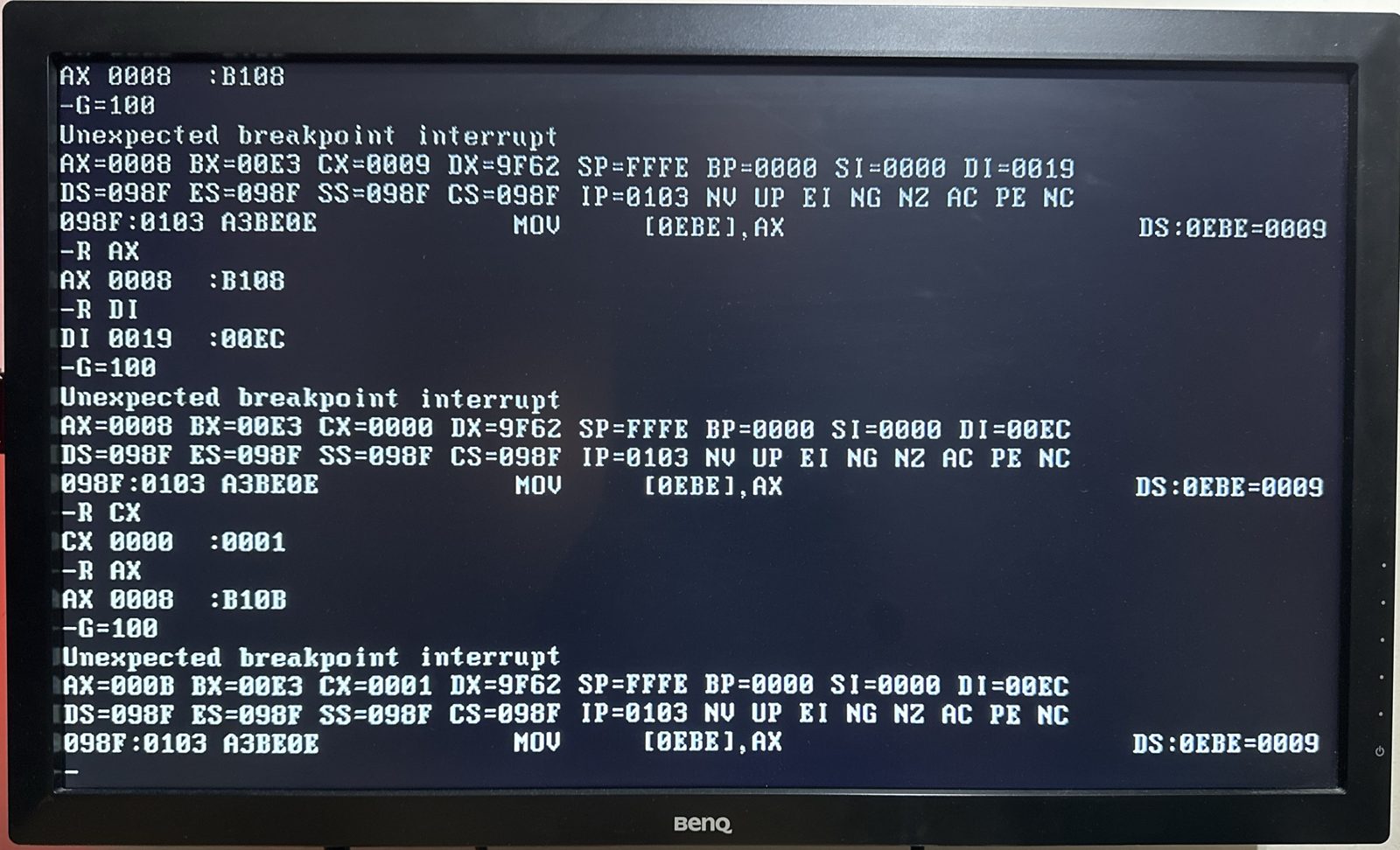 Setting SDE on the Z87-PRO. Top: register 19h says bus 09h is behind this port (
CX=0009). Middle: SDE reads 0. Bottom: the BIOS accepts the write of 1.
Then the keyboard froze solid.
Nothing I typed reached the screen, and the Num Lock light was stuck on. I power-cycled and tried again with a PS/2 keyboard instead of USB, in case the BIOS’s USB keyboard support was the problem. It froze in exactly the same way.
The third time, I took away everything I could. Real MS-DOS instead of FreeDOS, booted from a floppy disk instead of a USB stick, with the BIOS’s Fast Boot off and its USB 3 controller disabled. Same freeze, the moment SDE went on.
Luckily, it did no lasting harm. Configuration space is cleared at power-off, so a power-cycle brought everything back each time.
Looking for anyone who’d seen this before, I found the dISAppointment project, which adds a real ISA slot to modern PCs. Its builders hit something very similar: turning on subtractive decode broke the keyboard controller and sometimes hung the whole machine. Their best guess was a clash with the board’s Super I/O chip, which handles the keyboard on modern boards. They never found a fix.
Three identical freezes, and no fix from anyone else. I set the Z87-PRO aside and moved on to the X10SAE.
The X10SAE
The X10SAE has real PCI slots, fed by the IDT 89HPEB383 bridge on the board.
Before going near DOS, I checked through the BIOS. There was no option for subtractive decode, but in the USB settings I found something I hadn’t seen on the ASUS: “Port 60/64 Emulation”, enabled. Ports 60h and 64h belong to the keyboard controller, and the help text explains that this setting fakes them so a USB keyboard works in “non-USB aware OSes”. In other words, DOS. Something sitting between the keyboard and the chipset seemed worth getting out of the way, so I made a note to turn it off before trying SDE.
In DOS, I found the IDT bridge with DEBUG (vendor 10E3h, device 8113h), then read its register 48h:
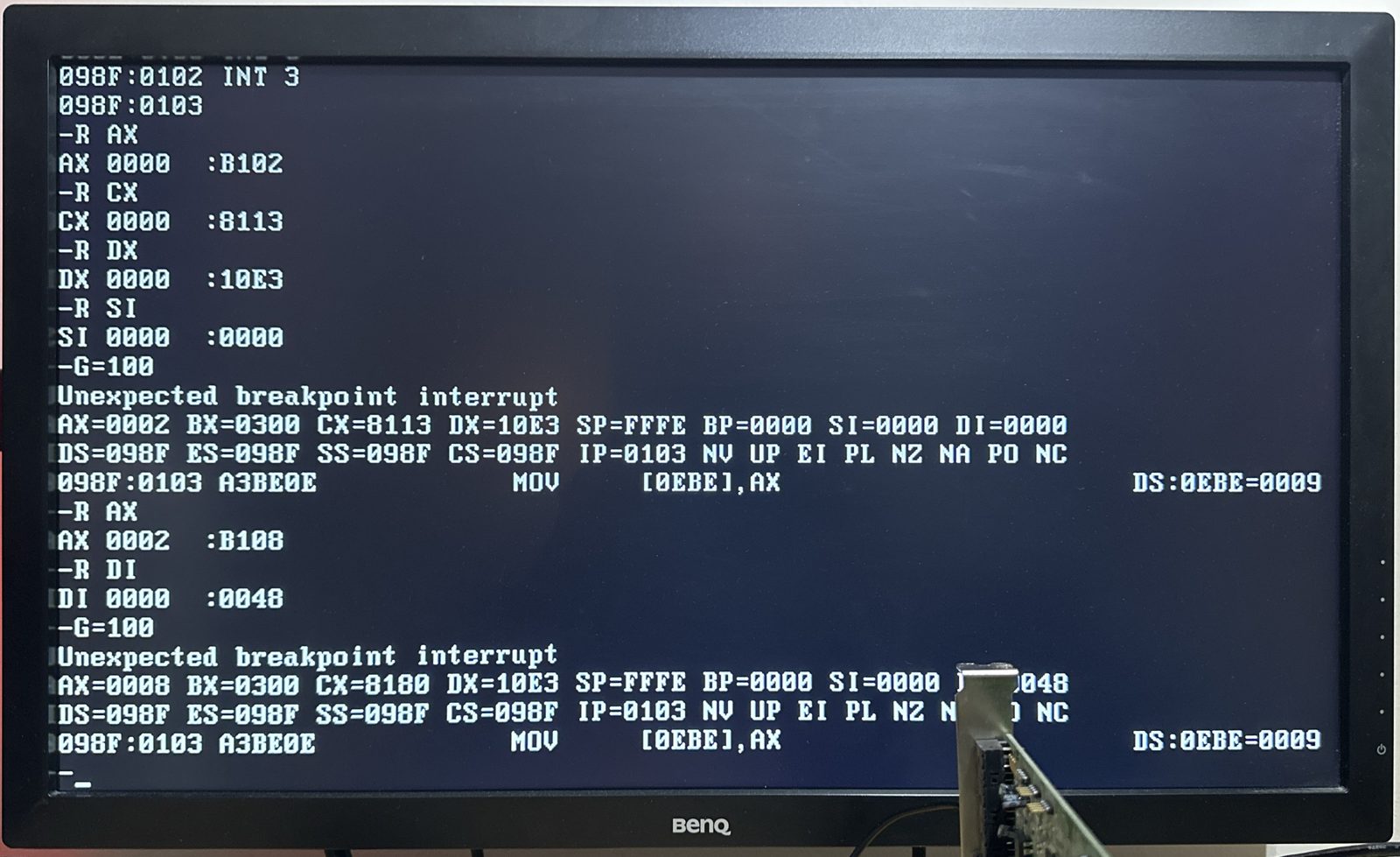 Reading the IDT bridge’s register 48h on the X10SAE. The byte read lands in
CL, the right-hand half of CX=8180: 80h, so bit 7 was already on.
Bit 7 was already set! Supermicro’s BIOS turns on the bridge’s legacy mode by itself, so there was nothing to do.
Even so, Yamaha’s test program still failed, and SETUPDS still couldn’t find a Sound Blaster. One hop left.
On this board, the bridge’s bus, 03h, was behind root port 5, so I ran the same steps on that one. But first, I prepared: a PS/2 keyboard, and Port 60/64 Emulation turned off.
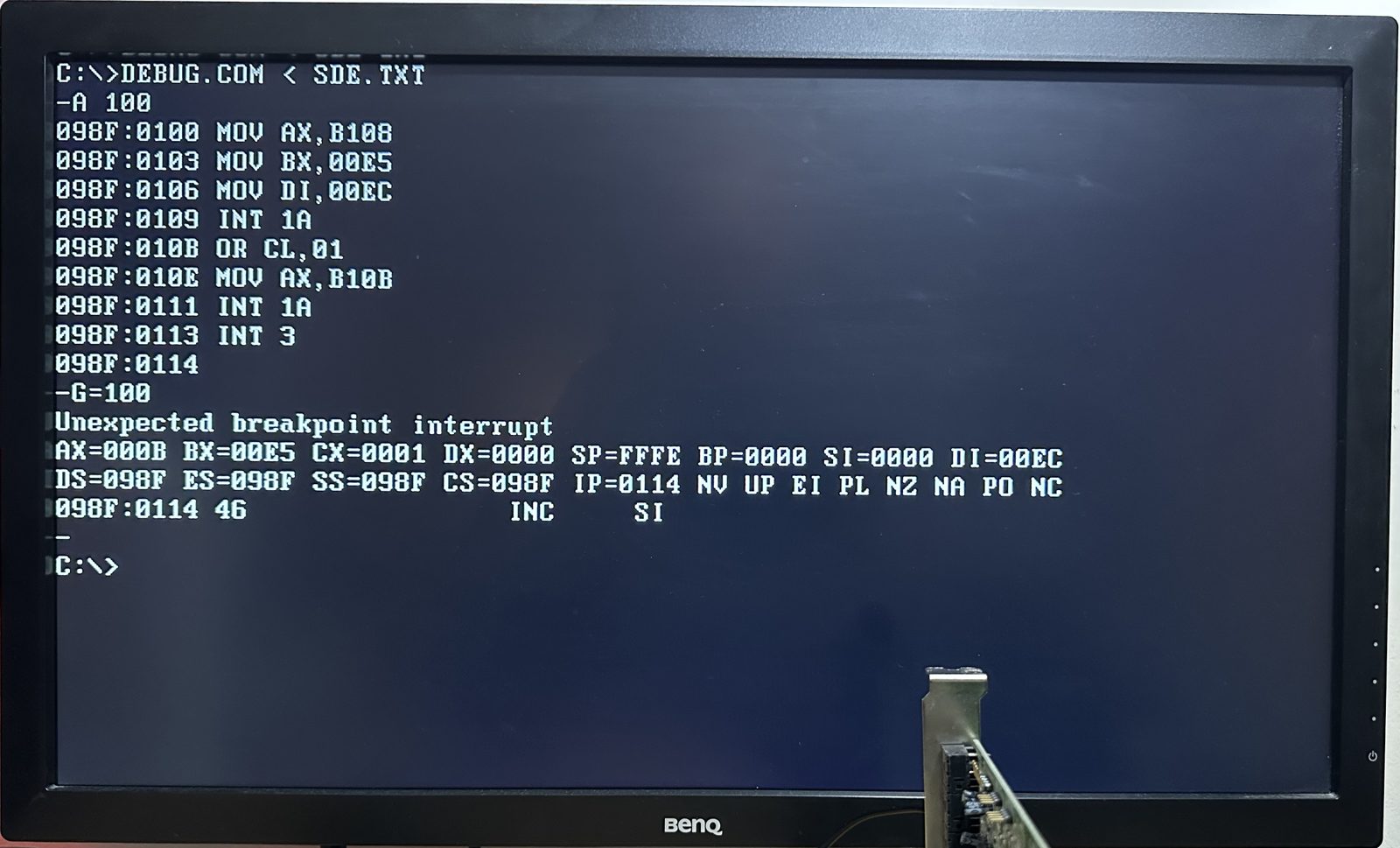 The same steps on the X10SAE, and the result.
CX=0001 is the value written, and NC means the BIOS accepted it.
This time, the keyboard kept working.
First sound
With a usable keyboard, I ran Yamaha’s FM test program once again. And success! It played music.
That’s FM music from a PCI sound card, in DOS, on a Haswell Xeon. The writes to 388h (the FM chip’s address) now make it through both hops to the card.
So why did my keyboard freeze on the Z87-PRO? I still don’t know. It could be the Port 60/64 Emulation setting, the different Super I/O chip (a Nuvoton NCT6776D, against the ASUS’s NCT6791D), or something about that particular root port. I haven’t been back to find out yet. For now, the X10SAE is the board I’ll move ahead with.
What’s next
So we have address routing working! The card answers at the right addresses, and the game’s accesses reach it.
And FM music works great. But digitised sound (the explosions and speech in most games) also needs the other two requirements: interrupts and DMA. That’s the next post.
