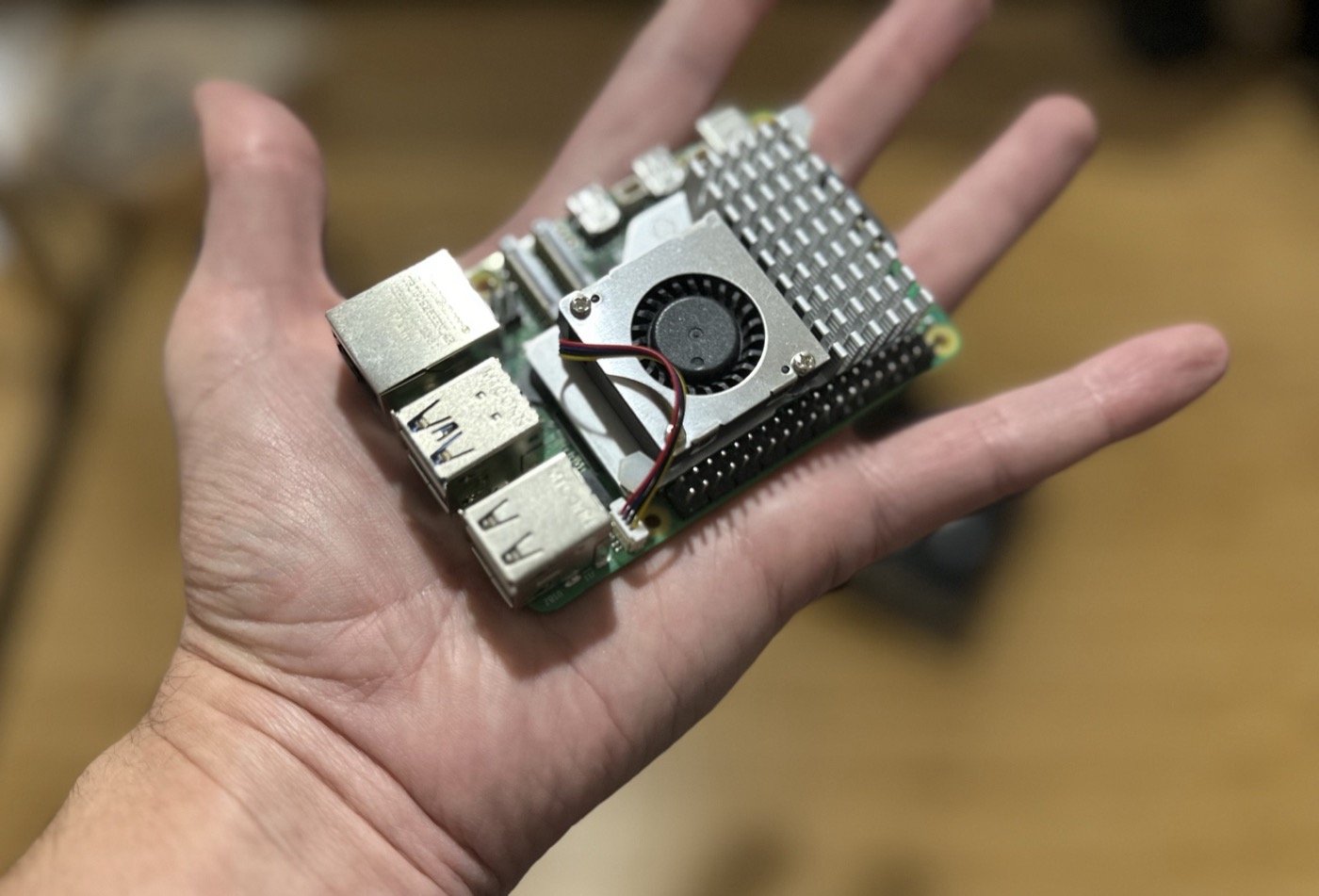
The Raspberry Pi 5 is the current flagship of the Raspberry Pi single-board computer line: a Broadcom BCM2712 (quad-core Cortex-A76 @ 2.4GHz) paired with a VideoCore VII GPU, PCIe 2.0 x1 exposed via an external FPC connector, and real gigabit Ethernet and USB 3.0 on board. Mine is the 4GB variant, fitted with the official Active Cooler (a small heatsink/fan/blower combo that clips directly onto the board) and powered by the official 27W USB-C supply.
Why it keeps showing up here
The PCIe lane is the interesting part for a lot of what I’ve used it for — it’s what makes plugging a real GPU into a Pi possible at all, and it’s fast enough that the board can genuinely run native, non-emulated PC-era code rather than just retro emulation.
- Building Valve’s Source Engine from source (via the nillerusr/source-engine ARM64 fork) and running Half-Life 2 and Portal natively, no emulation involved — see I Made Half-Life 2 Work on Raspberry Pi! and the full how-to guide
- Using that same PCIe lane, via an M.2-to-OCuLink adapter, to run a full desktop Radeon RX 580/RX 6600 XT as an eGPU — see I Installed a Modern GPU on Raspberry Pi (and it’s AWESOME!)
Where it fits
For anything that needs genuine PCIe bandwidth — an external GPU, fast storage — the Pi 5 is the first Raspberry Pi that actually makes that practical. For everything else it’s still just a very capable, very cheap ARM Linux board: fast enough now that “can this run natively on a Pi” is a real question worth asking for surprisingly demanding PC software, not just retro consoles.
