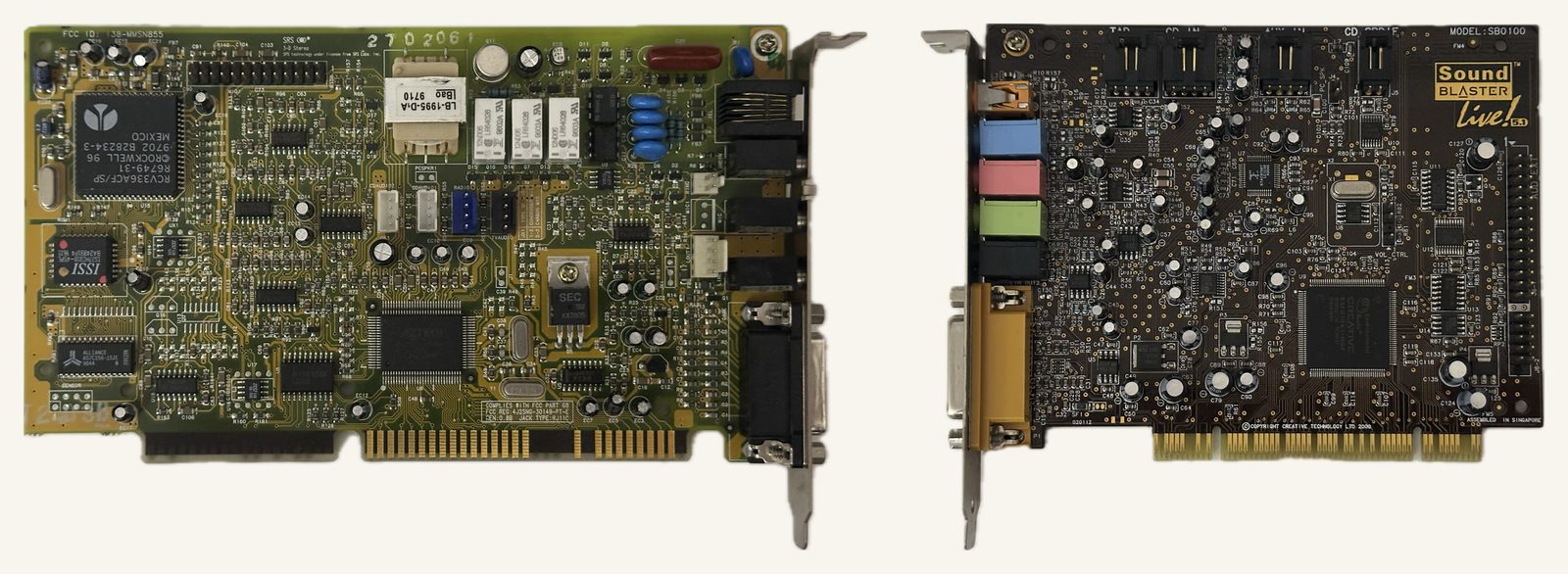
I have a mission. I want to play original DOS games at super high resolutions and frame rates. I’ve already shared my love for software rendering, and why it needs a blazing fast DOS machine.
After some investigation, it turns out graphics are the easy part. The real challenge is sound. As Rasteri put it in his video on the Portwell RUBY-9719, “the main reason that DOS games won’t run on modern PCs is because of audio output.”
So what I want is a real late-1990s sound card, with its own FM chip and its own Sound Blaster processor, in the fastest machine that can host it.
What are the options?
Firstly, ISA cards are out. ISA slots were phased out at the end of the 1990s (Microsoft and Intel’s PC99 guidelines asked for none at all). Today only a few industrial boards still have them, and almost none of those support the DMA that DOS sound needs.
Next up, we have PCI sound cards. On paper these should work. PCIe-to-PCI adapters exist, and modern PCIe was designed to be software compatible with legacy PCI. In addition, PCI sound cards of the era actively advertised DOS and Sound Blaster compatibility.
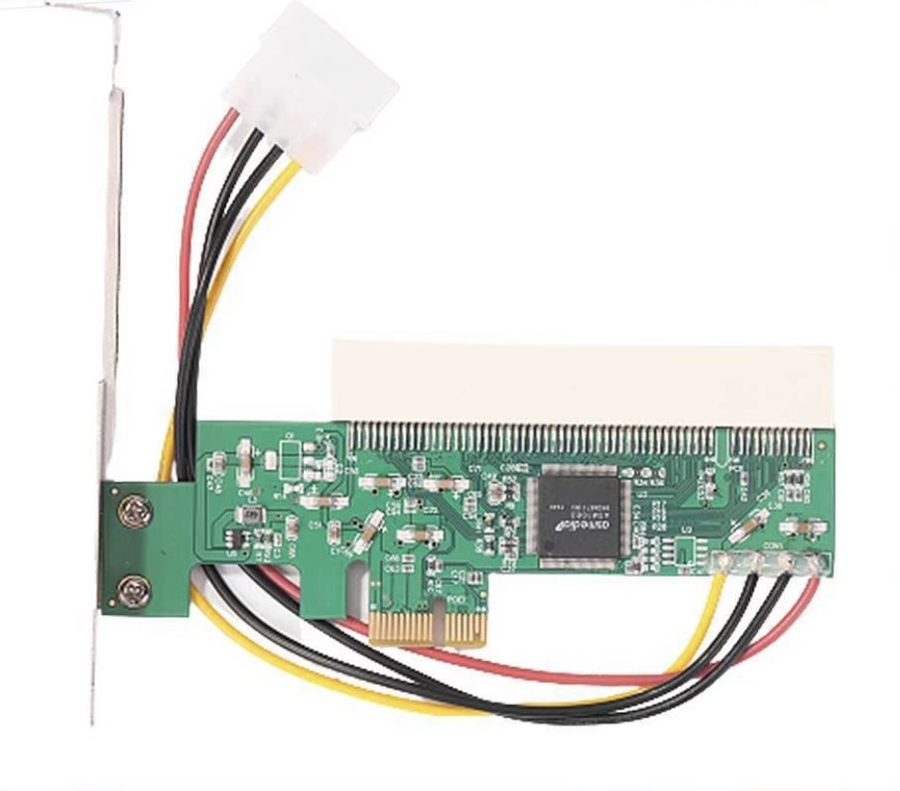 A PCIe-to-PCI adapter. Plug it into a modern PCIe slot and you get a PCI slot back.
In practice, plug one into a modern machine and the game can’t even find it.
What a DOS game expects
A DOS game doesn’t ask an operating system for sound. It talks to the hardware directly. For a Sound Blaster, that means writing to I/O ports at fixed addresses (220h for the card, 388h for the FM chip) and picking an IRQ and a DMA channel for sample transfers. When it plays a digitised sound, the game programs the PC’s DMA controller to move the samples from memory to the card.
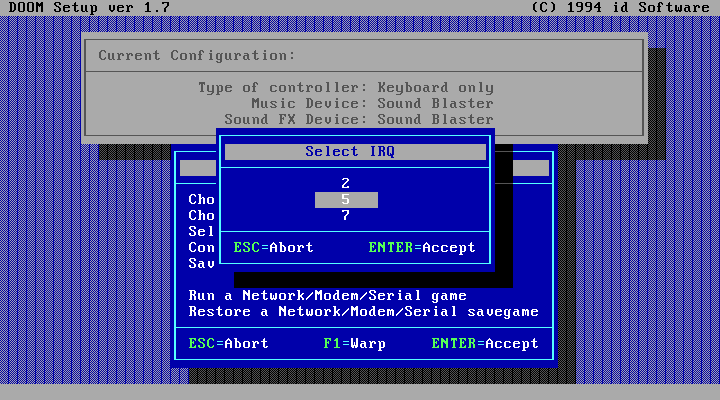
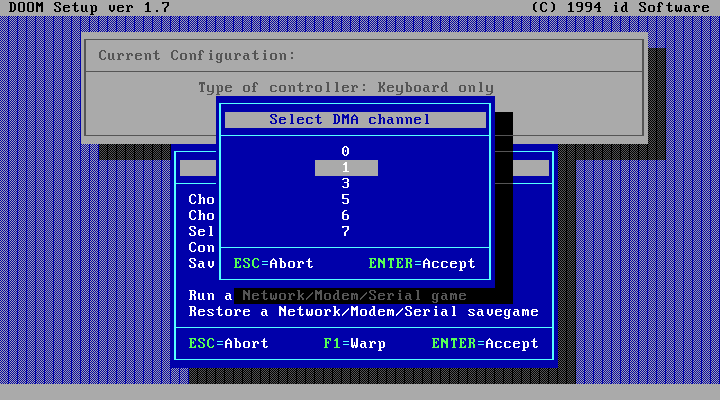
Doom’s setup program, asking which IRQ and DMA channel the Sound Blaster uses.
All of this was designed around the ISA slot, where the card sat at a fixed address, with its own IRQ line and a wire running straight to the motherboard’s 8237 DMA controller.
What the PCI cards did about it
PCI doesn’t work that way. A PCI card gets its addresses and its interrupt from the BIOS at boot, wherever there’s room. A DOS game still looks for a Sound Blaster at 220h and 388h, so it would never find a PCI card in its native mode.
To fix this, the PCI sound cards added a legacy mode: a register that makes the card also answer at 220h and 388h, along with a once-per-boot DOS utility to configure the sound card and instruct the chipset to route traffic to the right place.
In addition, chipset mechanisms existed to pass DMA writes to the card (Distributed DMA), or even a pair of extra request and grant wires to physically connect the card to the chipset (PC/PCI).
Together, these mechanisms were a great facsimile of the old ISA setup. On a motherboard that supported them, DOS games didn’t know they were talking to a PCI card. It just worked™.
Unfortunately, on a modern PC, these mechanisms are gone. Distributed DMA never made it past Intel’s PIIX4 chipsets, and PC/PCI ended with ICH5 in 2003. So we need to find alternatives.
Four things that have to work
The way I’ve come to think about it, we have four separate problems, and a card needs to get past all of them:
- Answering at the old addresses. The game looks for the card at 220h and 388h, but a PCI card lives wherever the BIOS put it.
- Getting there at all. On a modern PC, the CPU’s reads and writes to those addresses have to cross the chipset and a PCIe-to-PCI bridge to reach the card.
- Interrupts. The card’s interrupt has to reach the game, on the line the game expects.
- DMA. The game programs a DMA controller to move its samples, and the card isn’t connected to it.
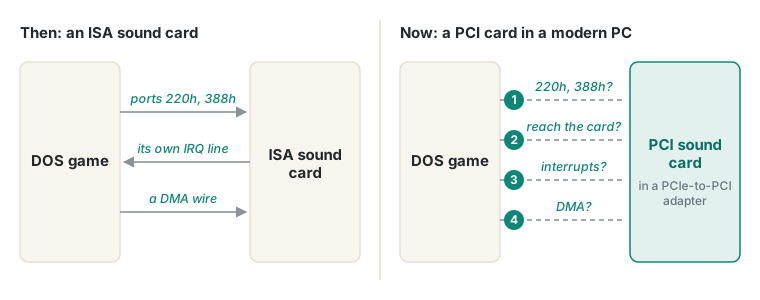 On ISA, everything was wired straight to the card. In a modern PC, each connection is an open question.
If we can solve all four, we should have working sound.
But what about Sound Blaster emulation?
Getting a real PCI card working isn’t the only option. You can emulate the card instead, and in pure DOS on modern hardware there are two well-known tools that do it.
SBEMU, by GitHub user crazii, is a resident program that pretends to be a Sound Blaster and an AdLib FM synth, and plays the result through the real audio hardware in the machine: Intel HD Audio on most modern boards, plus a range of older onboard chips and PCI cards. VSBHDA is a fork of SBEMU by Baron von Riedesel, who maintains the HDPMI and Jemm tools both of them depend on. It’s built to stay compatible with those tools, and it can also handle 16-bit protected-mode games.
Both work the same way: they catch the game’s reads and writes to the Sound Blaster’s ports and answer them in software. I got Doom running with SBEMU on a Core i7 in native DOS a few years ago, and it was a real step forward.
They go through the same four problems, but they solve every one in software:
| Emulation (SBEMU / VSBHDA) | A real PCI card | |
|---|---|---|
| Answering at 220h/388h | Software catches the game’s accesses and answers | The card’s own legacy mode answers |
| Getting there | Not needed: the accesses never leave the CPU | They have to cross the chipset and a PCIe-to-PCI bridge |
| Interrupts | A virtual interrupt, generated by software | The card’s real interrupt |
| DMA | A software DMA controller, with the CPU copying the samples | The card’s own DMA engine, if the game’s settings can reach it |
| FM music | Usually a software OPL3 (SBEMU can borrow some cards’ real chips) | The card’s real FM chip |
Why bother with the real hardware?
I want to do this in hardware, not emulation. The emulators work well for most games, but they have known weak spots. They depend on a DPMI host the game agrees to use, so a game that brings its own can slip past them. 16-bit protected-mode games need special handling, and people regularly report games that crash or freeze under them. And an emulated card can never be better than its emulation: VSBHDA’s FM music, for example, is a software imitation of the chip.
A real card has none of those problems. If the card itself does the work, every game should just see a Sound Blaster. Wild success would be a fully hardware-native setup that beats the emulators on both reliability and authenticity. That’s the hope, anyway.
What’s next
First, research. I need to work out how each of these four problems might be solved on a modern machine, and, most importantly, find the fastest board that can run a PCI sound card in DOS at all.
