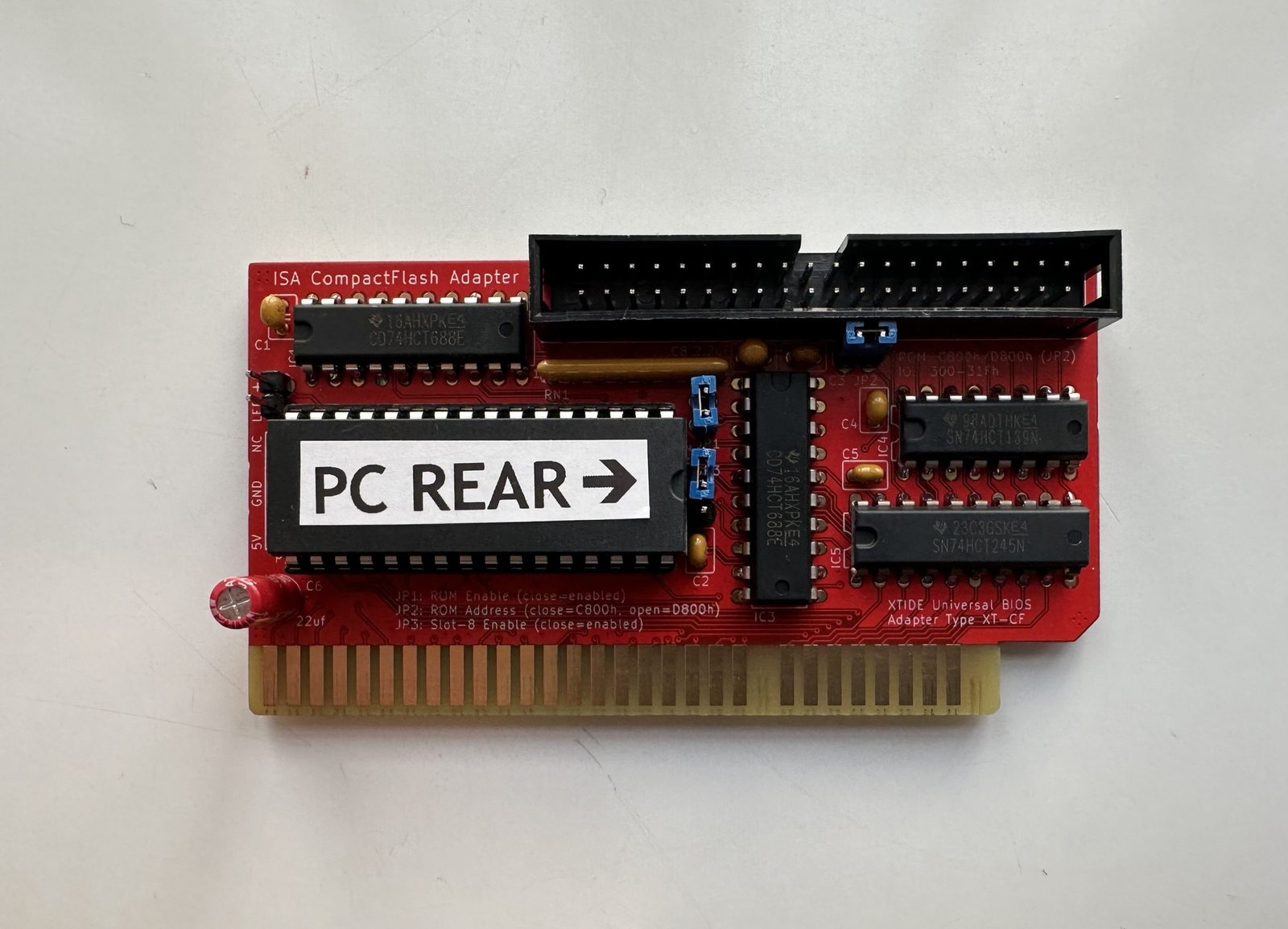
The Lo-tech XT-CF adapter is an open-hardware 8-bit ISA card that lets a CompactFlash card stand in for a hard drive on an original IBM PC/XT or compatible. Mine is a TexElec-manufactured board built to the design — TexElec is one of a few vendors selling cards to this spec — with XTIDE Universal BIOS pre-flashed onto the onboard ROM.
What it actually does
An XT-class machine’s 8-bit ISA bus only has an 8-bit data path, but IDE storage expects 16 bits. The card’s job is the bus conversion: it splits every 16-bit IDE transfer into two 8-bit reads across the ISA bus, and presents a CompactFlash slot to the system as if it were a plain IDE drive.
None of that would matter without something to make the BIOS actually treat it as bootable storage — that’s the job of the XTIDE Universal BIOS living on the card’s onboard ROM.
The board itself
A few things worth knowing if you’re looking at one:
- JP1 — ROM Enable. Closed = enabled. Has to be on for the card’s BIOS extension to load at all.
- JP2 — ROM Address. Closed = C800h, open = D800h. Needs to land somewhere your other cards aren’t already using.
- JP3 — Slot-8 Enable. Closed = enabled.
- I/O range 300–31Fh by default.
If you’re running one alongside another card that also uses a BIOS extension or that I/O range, expect a conflict — that’s exactly what happened when I tried to run this alongside an original MFM controller on an Amstrad PC1640. Only one of the two can be active.
Why I like it
For any XT-class machine with a dead or dying MFM/RLL drive, this is close to the ideal fix: no moving parts, a CF card you can swap in seconds, and — once configured — completely invisible to DOS. Getting there wasn’t trivial, though; see the full story.
