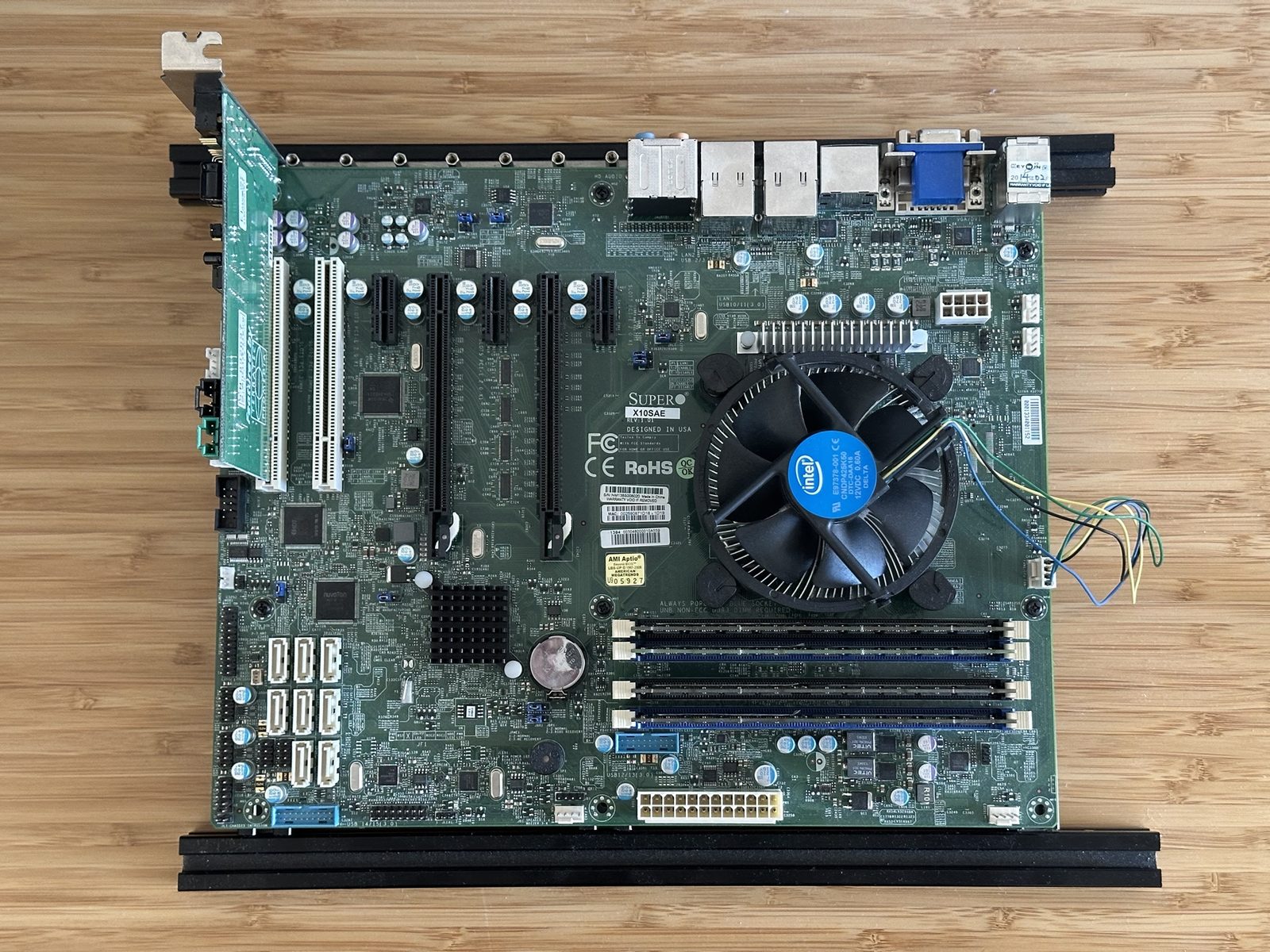
I bought my X10SAE on eBay in April 2023 for $64.99, and it seems to be new old stock. It caught my eye because it had a ton of SATA connectors, PCIe and PCI: for a combined modern and retro PC, it seemed to check all the boxes. It turned out to be exactly the board I needed for getting PCI sound cards working on a modern PC: new enough to be properly fast, and old enough to still have real PCI slots and a chipset that can talk to them.
What it is
The X10SAE is an ATX workstation board from Supermicro, built around Intel’s C226 chipset: the workstation member of the 8-series family, the same generation as consumer Z87 boards. It takes a single LGA1150 processor, either a Xeon E3-1200 v3 or v4, or a 4th or 5th generation Core i3, i5 or i7.
What makes it unusual for its age is the expansion: alongside the PCI Express slots, it has two old-fashioned 32-bit PCI slots. Intel’s chipsets had stopped providing PCI by then, so Supermicro feeds them through an onboard PCIe-to-PCI bridge chip, an IDT 89HPEB383.
Specifications
| Form factor | ATX, 12” × 9.6” |
| Chipset | Intel C226 |
| CPU | One LGA1150 socket: Xeon E3-1200 v3 or v4, or 4th/5th generation Core i3/i5/i7, up to 95W |
| Memory | Four DIMM slots, up to 32GB of DDR3-1600 unbuffered memory, ECC or non-ECC |
| Expansion | 2 × PCIe 3.0 x16 (x16, or x8/x8), 3 × PCIe 2.0 x1, 2 × 32-bit 5V PCI |
| PCI bridge | IDT 89HPEB383 (PCIe-to-PCI) |
| Storage | 8 × SATA 6Gb/s (Intel C226, plus an ASMedia ASM1061) |
| Networking | 2 × Gigabit Ethernet (Intel I210-AT and I217LM) |
| Audio | Realtek ALC1150 |
| Video | VGA, DVI-I, DisplayPort and HDMI, with a CPU that has integrated graphics |
| Other | PS/2 keyboard and mouse port, two FireWire (1394a) headers, TPM header |
| BIOS | AMI |
Mine has a Xeon E3-1276 v3 (4 cores, 8 threads, 3.6GHz, 4.0GHz with turbo), one of the few Xeon E3s with integrated graphics, so the onboard video works without a graphics card. It’s paired with 32GB of Micron ECC memory (four 8GB sticks, $29.99 for the kit in December 2024) and Intel’s stock cooler, and runs open on a bench frame.
Why I like it
- Real PCI slots on a fast platform. It takes a PCI card directly, with no adapter.
- The right chipset. Intel’s 8-series is the last generation that documents PCI Legacy Mode, the chipset feature a PCI sound card needs for DOS games to find it. I go through why in Finding the Fastest Possible DOS PC.
- A cooperative BIOS. Its BIOS already switches on the onboard bridge’s legacy forwarding, so only the chipset’s half needs setting at boot.
- Broadwell support. Supermicro added the Xeon E3-1200 v4 to its CPU list, something ASUS never did for its Z87 boards.
- A PS/2 port, which is handy for real DOS.
Where it fits
This is my main board for running PCI sound cards in real DOS, such as the ESS Solo-1 and the Yamaha YMF724. As a DOS machine it’s absurdly fast, but it’s about as fast as a PC with a real PCI sound card can get: the next chipset generation dropped PCI Legacy Mode.
It’s less of a fit for anything period-correct. A Haswell Xeon is a long way from a 1990s PC.
Pros
- Two real PCI slots, alongside modern PCIe and SATA
- An 8-series chipset with PCI Legacy Mode
- The BIOS presets the bridge’s legacy forwarding
- Takes Haswell and Broadwell Xeons and Core CPUs
- Onboard video with the right CPU
Cons
- The PCI slots sit behind a bridge, not on the chipset, so the old ways of doing DOS sound DMA (Distributed DMA, PC/PCI) aren’t there
- Topped out at 32GB of DDR3, unbuffered only
- Only two PCI slots
- The onboard video needs a CPU with integrated graphics
