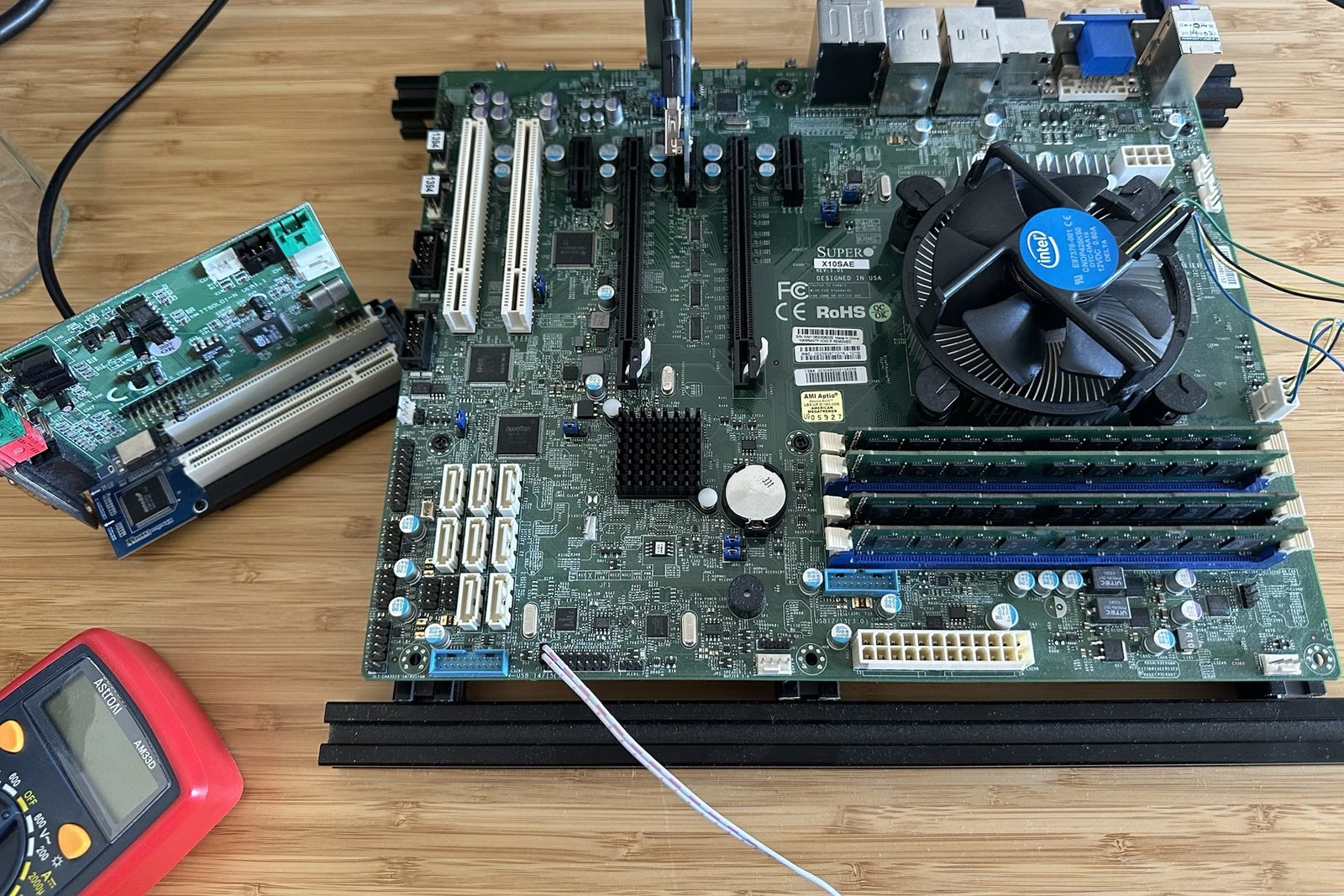
As I explained in the last post, I’m on a mission to get real DOS audio working on the fastest PC possible. That led me to PCI sound cards, and today I’m hunting for the fastest chipset and CPU combo where everything still works. Let’s find the limit!
Where does the limit come from?
As a reminder, for a DOS game to play sound through a PCI card, four things need to happen:
- Answering at the right addresses. DOS games look for a sound card at ports 220h and 388h, so the PCI card needs to be listening there.
- Address routing. The game’s reads and writes to those ports have to make it across the chipset and the PCIe-to-PCI bridge to reach the card.
- Interrupts. When the card needs the game’s attention, for example because it has finished playing a chunk of sound, it raises an interrupt. The game is waiting for a particular interrupt number (its IRQ), usually 5 or 7, so the card’s interrupt has to arrive on that number.
- DMA. The game sets up the PC’s DMA controller to stream its sound samples to the card, so those samples have to reach the card.
Most of these are the concern of the sound card and how it’s driven. But address routing is driven by the PC.
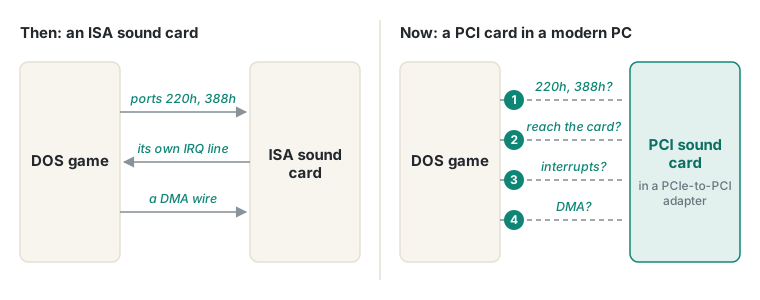 The four problems from the last post. Number 2 is the one that depends on the PC: can the game’s accesses reach the card at all?
A DOS game looks for a Sound Blaster at fixed I/O addresses: 220h for the card and 388h for the FM chip. As I covered in the last post, a PCI sound card in legacy mode should answer there.
Address routing is where things get tricky. On a modern PC, the card sits behind two hops: the chipset’s PCI Express port, then a PCIe-to-PCI bridge. By default, these only forward accesses to a narrow set of addresses (handed out by the BIOS at boot). 220h is not one of these. So when a game writes to 220h, neither the chipset nor the bridge claims it, and the access goes nowhere.
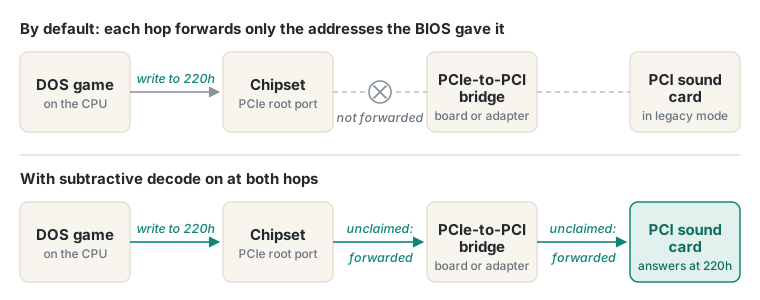 The two hops between the game and the card. By default, the write to 220h stops at the chipset.
The fix is an old idea called subtractive decode. This inverts the behaviour of the bridge and chipset. Instead of only forwarding its own claimed addresses, a bridge forwards anything nobody else claimed. Turn that on at both hops and 220h should fall through to the card.
For a bridge, it’s mostly a matter of choosing a PCIe-to-PCI adapter with the right chip. Subtractive decode is an optional feature, but the most common ASMedia and IDT chips both support it.
The chipset half is more challenging: either the chipset can do it, or it can’t.
So our hardware search turns into a simple question. Which is the newest chipset that can still do subtractive decode?
Starting with my newest PC
The obvious first candidate was my newest machine, an AM5 PC with an ASUS ROG Strix B650E-F. It even has a PCIe-to-PCI adapter fitted already, left over from my Voodoo 2 experiments. If that worked, I’d be done before I’d started.
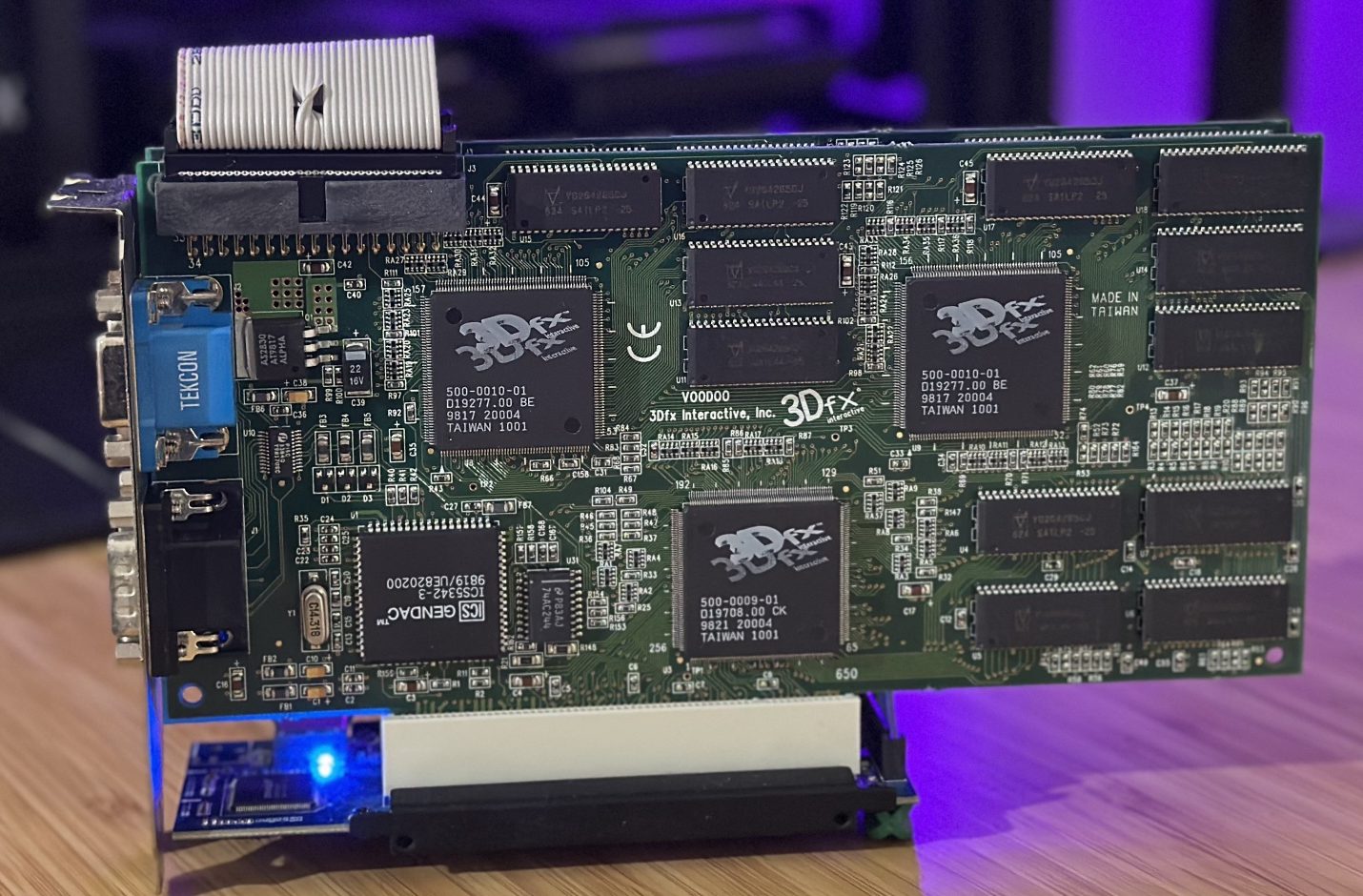 The PCIe-to-PCI riser from my AM5 Voodoo 2 experiments, Voodoo 2 still attached.
Before pulling anything apart, I did some research. I found this long-running Vogons thread on PCI sound cards and chipsets. One member summed up AMD chipsets like this:
“These southbridges have virtually zero legacy capabilities available. I used some AMD 700-900 motherboards for some Phenom II CPUs and later on the FX ones. Legacy audio simply cannot be turned on. Games still report no Sound Blaster even after loading the TSRs.”
Those are older boards, but as far as I can find, no later AMD chipset added anything to fix it. Not a great start. AMD is out, and my newest PC with it.
Intel’s 8-series: a promising lead
My other two candidate boards are both older Intel machines: an ASUS Z87-PRO and a Supermicro X10SAE, both from the 8-series generation (2013, Haswell). So I went to Intel’s datasheet for that chipset family, expecting to dig through register tables for clues.
I didn’t have to. It has a whole section on exactly this, which starts by admitting the problem:
“PCI functionality is not supported on new generation of PCH requiring methods such as using PCIe-to-PCI bridges to enable external PCI I/O devices. To be able to use PCIe-to-PCI bridges and attached legacy PCI devices, the PCH provides PCI Legacy Mode.”
Intel 8 Series/C220 Series Chipset Family PCH datasheet, section 5.2.2
It then describes exactly the trick above: both the chipset’s PCIe port and the bridge behave like old subtractive PCI-to-PCI bridges, so legacy accesses fall through to the cards behind them. On the chipset side it’s a single bit, “Subtractive Decode Enable”, in each PCIe port’s configuration registers. It’s an ordinary writable setting, so in principle a small DOS program can switch it on at boot.
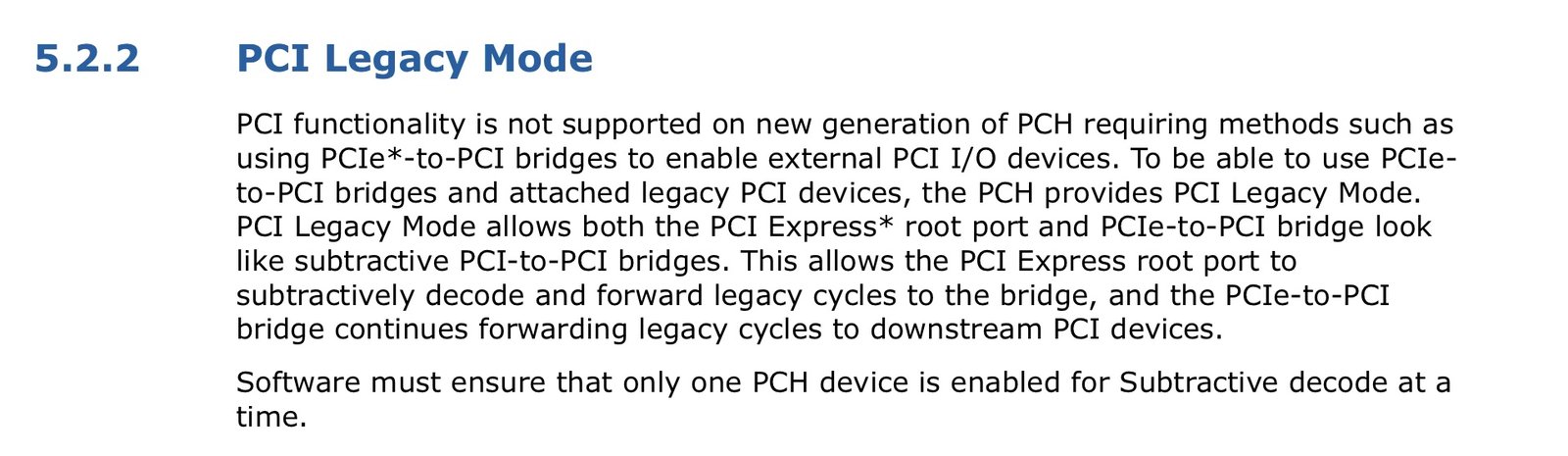 Section 5.2.2 of Intel’s 8-series PCH datasheet.
A great result! Intel didn’t just leave the feature in; they documented our exact use case, and gave it a name — PCI Legacy Mode.
Moving forward a generation at a time
With a name and a register to look for, I stepped forward through Intel’s chipsets to see where it disappeared.
The 9-series (Z97 and H97, 2014) still has the same register, and nothing in the datasheet says it’s unsupported. There’s no dedicated “PCI Legacy Mode” section like the 8-series datasheet, but it seems likely the feature still works.
The 100-series (Z170 and friends, 2015, Skylake) is where the trail ends. Intel says so plainly:
“PCIe Subtractive Decode is not supported — PCI can still be supported via a PCIe-to-PCI bridge. However, legacy PCI devices (such as PCMCIA or non-plug-and-play device) that need subtractive decode are not supported.”
A PCI sound card in legacy mode is exactly this kind of device.
The 200-series (Z270, 2017, Kaby Lake) uses the same wording.
Here’s where that leaves things:
| Chipset | Era | PCI Legacy Mode? | Evidence |
|---|---|---|---|
| 8-series (Z87, H87, Q87, C220) | 2013, Haswell | Yes | Intel 8-series datasheet |
| 9-series (Z97, H97) | 2014, Haswell Refresh and Broadwell | Most likely | The register is there, with no note saying it’s unsupported |
| 100-series (Z170 and friends) | 2015, Skylake | No | Intel says so in the datasheet |
| 200-series (Z270) | 2017, Kaby Lake | No | Same wording as the 100-series |
I haven’t tested any of this on real hardware yet. But from the evidence above, I don’t expect anything newer than the 9-series to work.
So how fast can we go?
The limit is the 8-series and 9-series: the Haswell and Broadwell generation, on boards from 2013 and 2014.
But what’s the fastest CPU?
Well, the king of the castle is the Core i7-4790K (Haswell Refresh, 4.0 GHz, 4.4 GHz with turbo). It’s the highest-clocked chip of the generation, and it runs on both 8-series and 9-series boards (my Z87-PRO just needs a BIOS update).
Although newer Broadwell CPUs exist and work on 9-series chipsets, none of them clock as high. That makes the 4790K likely the fastest CPU there is for DOS gaming with a real PCI sound card.
I don’t own one. But I checked what I do have, and was pleasantly surprised:
| CPU | Board | Base clock | Turbo |
|---|---|---|---|
| Core i7-4790K (the fastest) | 8- or 9-series | 4.0 GHz | 4.4 GHz |
| Xeon E3-1276 v3 (mine) | X10SAE | 3.6 GHz | 4.0 GHz |
| Core i7-4770K (mine) | Z87-PRO | 3.5 GHz | 3.9 GHz |
They’re all the same Haswell core, so the clocks compare directly: mine are within about 10 to 12% of the 4790K. In DOS terms they’re very fast, far quicker than the Core 2 in my OptiPlex 380, which already runs Quake at 800×600 at a locked 60fps.
So, luckily for me, I already have pretty much the fastest hardware possible:
- an ASUS Z87-PRO (8-series) with a Core i7-4770K, and the ASMedia PCIe-to-PCI adapter card from my Voodoo 2 experiments
- a Supermicro X10SAE (C226, the workstation version of the 8-series) with a Xeon E3-1276 v3, and real PCI slots fed by an onboard PCIe-to-PCI bridge chip
What’s next
This wraps up the first phase of the research. I know the fastest boards and CPUs that can do this, and I have them.
The second phase is the bridge chips (i.e. the other half of the subtractive decode trick), and how to activate end-to-end address routing on each of them.
After that, we’ll move onto the other items in our four problems — interrupts and DMA. Stay tuned!
