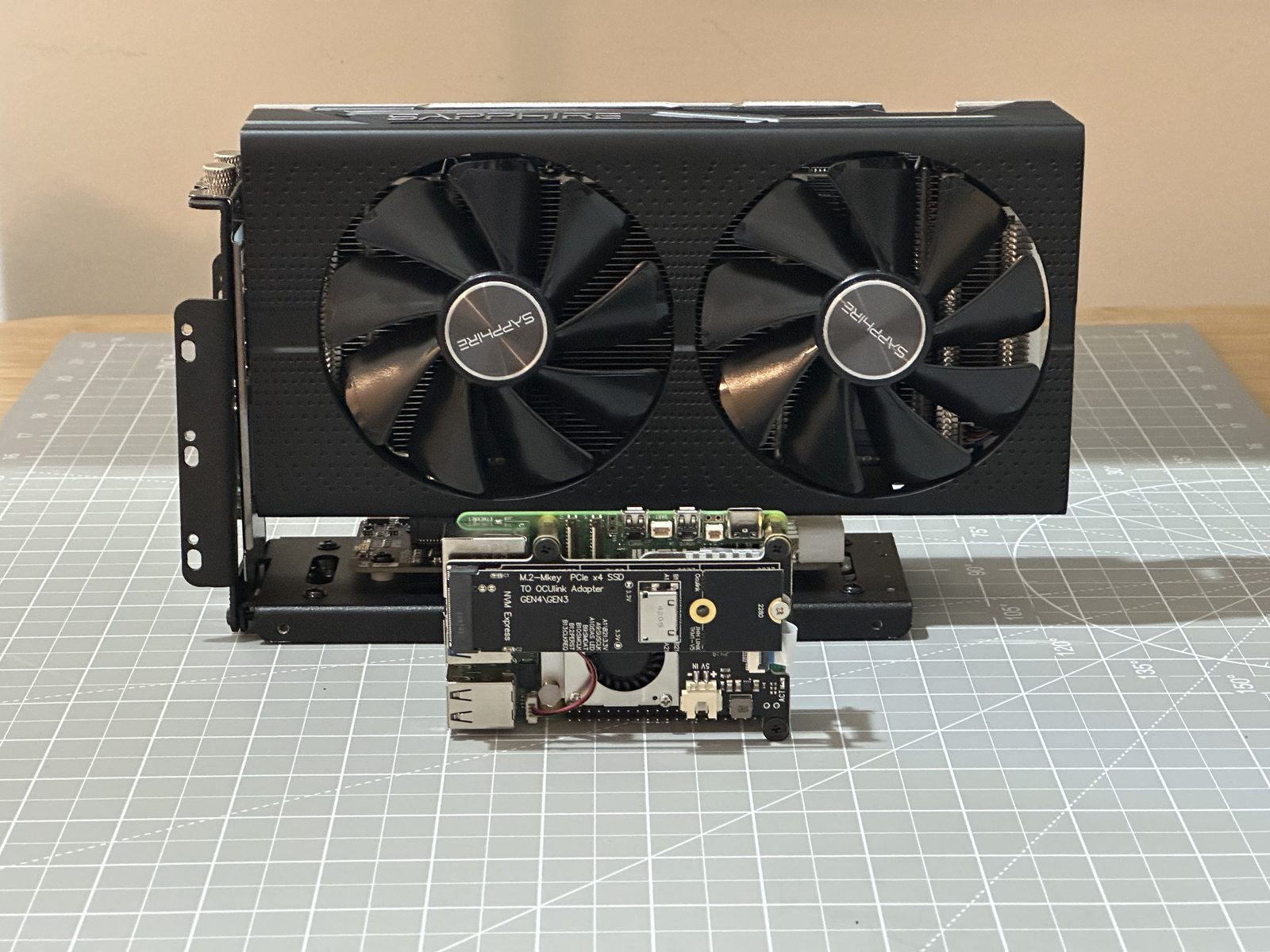
A Raspberry Pi 5 exposes a real PCIe lane, which means a real desktop graphics card can be wired into one over an OCuLink connection. Nobody sane needs an RX 580 on a Pi. That’s rather the point.
Project Notes
| Status | Completed |
| Goal | Get a modern Radeon GPU running on a Raspberry Pi 5 over PCIe/OCuLink, using a custom kernel built on Jeff Geerling and Coreforge’s AMDGPU work for the Pi 5’s ARM CPU. |
The hardware side is a PCIe-to-M.2 HAT, an M.2-to-OCuLink adapter board, an OCuLink cable, a 600W PC power supply, and an OCuLink eGPU dock for the card itself. None of it works without the software side, though: Coreforge’s rpi-6.6.y-gpu kernel fork, plus their optimised memcpy library, patched in and registered via /etc/ld.so.preload.
First up was a Sapphire Radeon RX 580 — confirmed working with a 4K desktop and neofetch correctly reading back the card. Half-Life 2 and Portal both ran maxed out at 4K, Half-Life 2 hitting just under 300fps (the Source engine’s own cap), with GravityMark benchmarking the card at 40fps.
Then a PowerColor Radeon RX 6600 XT went in — about four years newer and roughly twice as fast on paper. It just worked, the same boot process, and Doom 3 ran a locked 4K60. GravityMark came back at 80fps — almost exactly double the RX 580’s result.
More details:
- I Got a Modern Radeon GPU Running on a Raspberry Pi 5 — the full story
- Raspberry Pi 5
- Radeon RX 580
- Radeon RX 6600 XT
- I Installed a Modern GPU on Raspberry Pi (and it’s AWESOME!) — the original video
And also in video form below. Enjoy!
