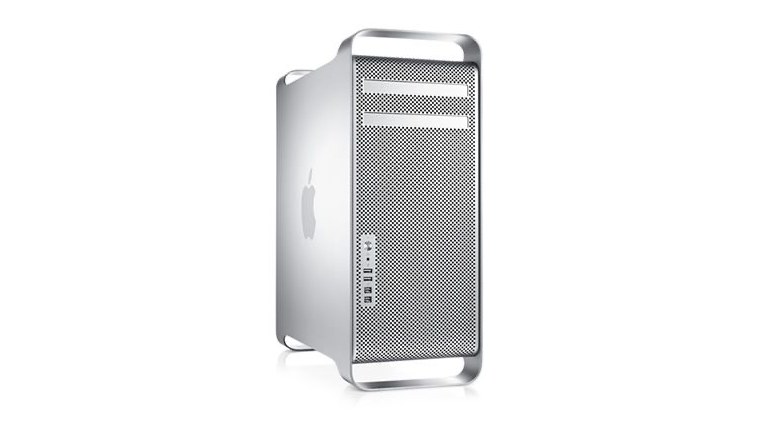
I upgraded my own Mac Pro 5,1 — see I Supercharged This Old Mac for AAA Gaming — and learned a lot along the way about the tradeoffs involved in picking an OS, a GPU, and an upgrade path. This guide collects those lessons into a general reference for the platform.
The Mac Pro 5,1 is one of the most flexible old Macs you can still meaningfully upgrade — CPUs, GPU, storage, and even the OS itself are all fair game. But there’s no single “best” configuration. The right setup depends on what you actually want out of it, and the choices cascade from there.
Choosing an operating system
The real breakpoints are:
- High Sierra (10.13) is the highest version you can download from Apple and install directly from standard USB install media.
- Mojave (10.14) is the highest officially supported macOS version for this machine — you can upgrade to it from High Sierra.
- Beyond that, newer macOS versions — Monterey, even Sonoma-era builds — are possible, but only via OpenCore: a bootloader that patches the OS at boot time so it’ll run on Mac hardware Apple no longer officially supports. Two flavors exist here: OpenCore Legacy Patcher (OCLP), built for a wide range of unsupported Mac hardware generally, and Martin Lo’s OpenCore, built specifically for the Mac Pro 5,1 and aiming to stay closer to a “vanilla” experience. Martin Lo’s build supports up to Monterey 12.7.
Mojave ends up being a genuinely useful pivot point: it’s the first version to require a Metal-compatible GPU — Metal being Apple’s own graphics API, which replaced OpenGL starting with Mojave — but it’s still old enough to preserve 32-bit application support, which matters a lot if you care about older Mac games and software.
32-bit vs. 64-bit
Directly tied to the OS choice:
- Mojave and earlier can still run 32-bit software.
- Catalina and later are 64-bit only.
If there’s specific older software or games you want to keep running, this alone might decide which OS ceiling makes sense for you.
Choosing a GPU
The right GPU depends entirely on which macOS versions you’re targeting:
- Older macOS versions want a GPU with native Mac support (proper boot-screen output, no extra fuss).
- Mojave specifically needs a Metal-compatible GPU — something like a GTX 770 or an RX 580 hits a good compromise: modern enough for Metal, old enough to still behave well across the OS range.
- For a fully OpenCore-based modern install, something like an RX 6600 XT becomes the more attractive option — no longer worrying about Mojave-era compatibility, so it’s worth just going faster.
Two practical build targets
Rather than one “correct” answer, it’s more useful to think in terms of two different builds, depending on priorities:
The best-compromise build
- Dual-boot Mojave and Monterey.
- A GPU like the RX 580 or GTX 770.
- Keeps 32-bit compatibility available (via the Mojave side) while still having a genuinely usable modern OS (via Monterey) when you need it.
The ultimate build
- A fully OpenCore-based install of a newer macOS.
- A modern GPU like the RX 6600 XT.
- Optimized purely for current-day usability rather than any historical compatibility — the machine you’d actually want to use day to day.
Upgrade flow
Installing Mojave
- Start from High Sierra.
- If needed, use an older Mac-compatible GPU just to get through boot screens and initial setup.
- Switch to a Metal-compatible GPU before actually upgrading to Mojave.
Installing Monterey (or newer)
- Start from a working Mojave install.
- Move to an OpenCore-based path from there (OCLP or Martin Lo’s build, depending on how “vanilla” you want the result).
Related on this site
- I Supercharged This Old Mac for AAA Gaming — the specific CPU/GPU/OS build that came out of applying this guide.
- Mac Pro 5,1 — hardware reference page for the machine itself.
