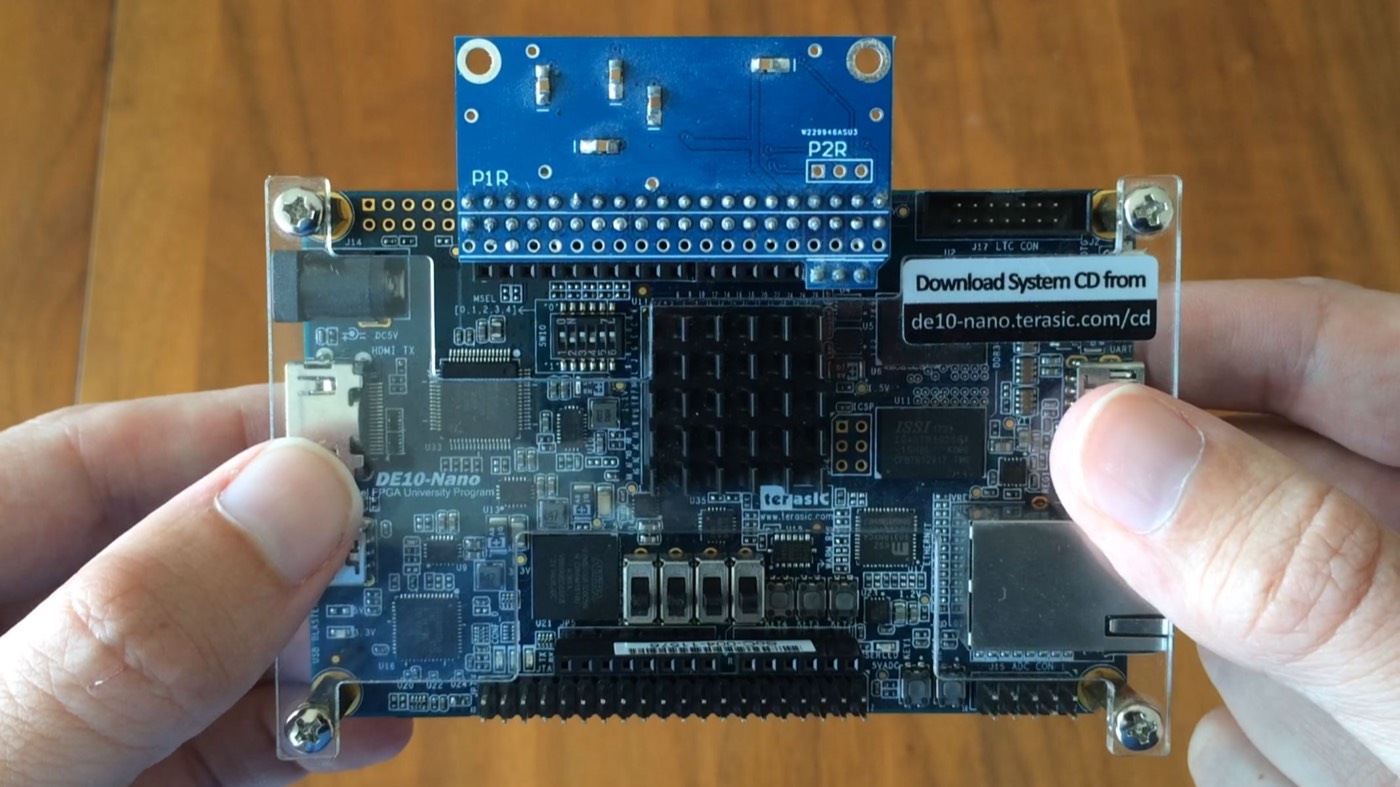
MiSTer is an open project that recreates classic computers, consoles and arcade machines on modern FPGA hardware. Instead of a program interpreting what old hardware did, an FPGA is wired up to behave like that hardware at the logic level — which, done well, gets you extremely close to the real thing on timing, video and audio.
I have been running one since 2020, mostly for the retro PC (ao486), Atari ST and console cores.
What it actually is
“MiSTer” is really four things stacked together:
- The board — a Terasic DE10-Nano, an FPGA development kit built around a Cyclone V SoC (FPGA fabric plus a dual-core ARM that runs the host OS)
- Cores — hardware definitions, written in HDL, for each system you want to run
- A Linux OS on the microSD card that loads and manages those cores
- Add-on boards — SDRAM, I/O, USB and more, that fill in what the bare DE10-Nano is missing
The whole project is open source and community-run, with new cores and fixes landing constantly.
Why I rate it
The appeal is accuracy without the fight. Software emulators can be excellent, but they still model the hardware in code, and the gaps show up as frame-timing wobble, audio glitches or input lag. MiSTer recreates the circuitry itself, so a lot of that simply goes away. It is most worth it for timing-sensitive genres — shoot-‘em-ups, platformers, rhythm games — and for systems with awkward video or audio hardware.
The other thing I like is the breadth: NES, SNES, Genesis, Neo Geo, Atari ST, Amiga, C64, arcade boards and IBM PC compatibles, all from one box.
The add-on ecosystem
A bare DE10-Nano boots MiSTer, but you will want at least the SDRAM board — most computer and console cores need it. Beyond that, the common upgrades each have their own page here:
- I/O Board — analog video for CRTs, cooling, a tidier build
- USB Hub — room for multiple controllers, keyboard and storage
- RTC board — a battery-backed clock for offline setups
- PlayStation SNAC adapter — original PlayStation controllers wired straight to the FPGA
Related on this site
MiSTer FPGA videos
-
 How to use Pi-MIDI on MiSTer FPGA - 10 Dec 2022
-
How Accurate is MiSTer FPGA vs Original Hardware? - 03 Dec 2022
-
How to Connect PlayStation Accessories to MiSTer - 26 Nov 2022
-
Native PlayStation Accessories on MiSTer - 19 Nov 2022
-
Supercharge your MiSTer FGPA - 12 Nov 2022
-
Doom Soundtrack | E1M1 – At Doom’s Gate | General MIDI Version | MiSTer FPGA ao486 Core - 28 Mar 2021
-
MiSTer FPGA - Install and Setup Guide - 23 Aug 2020
-
What is MiSTer FPGA? Intro and Hardware Overview - 22 Aug 2020
MiSTer AO486 guides
- MiSTer AO486 Core Part 1 – Getting Started
- MiSTer AO486 Core Part 2 – Sharing Files With MiSTerFS
- MiSTer AO486 Core Part 3 – Managing Memory
- MiSTer AO486 Core Part 4 – Sound and Music Setup
- MiSTer AO486 Core Part 5 – Adding CD-ROM Support
- MiSTer AO486 Core Part 6 – Mouse Support
- MiSTer AO486 Core Part 7 – Quick Start DOS Image
- MiSTer AO486 Core Part 8 – Roland MT-32, Sound Canvas Audio via MidiLink
- MiSTer AO486 Core Part 9 – Installing Windows 95
