If you have a hard drive attached to your ST, you might want to transfer files bigger than what can fit on a single floppy. You can achieve this using ARJ compression software, available for PC here and ST here.
Once you have the software downloaded and extracted, use your PC split the large file into 720KB (or, if your drive supports it, 1440KB) chunks:
ARJ32 a -jm -r -v720 arc.arj largefile.jpg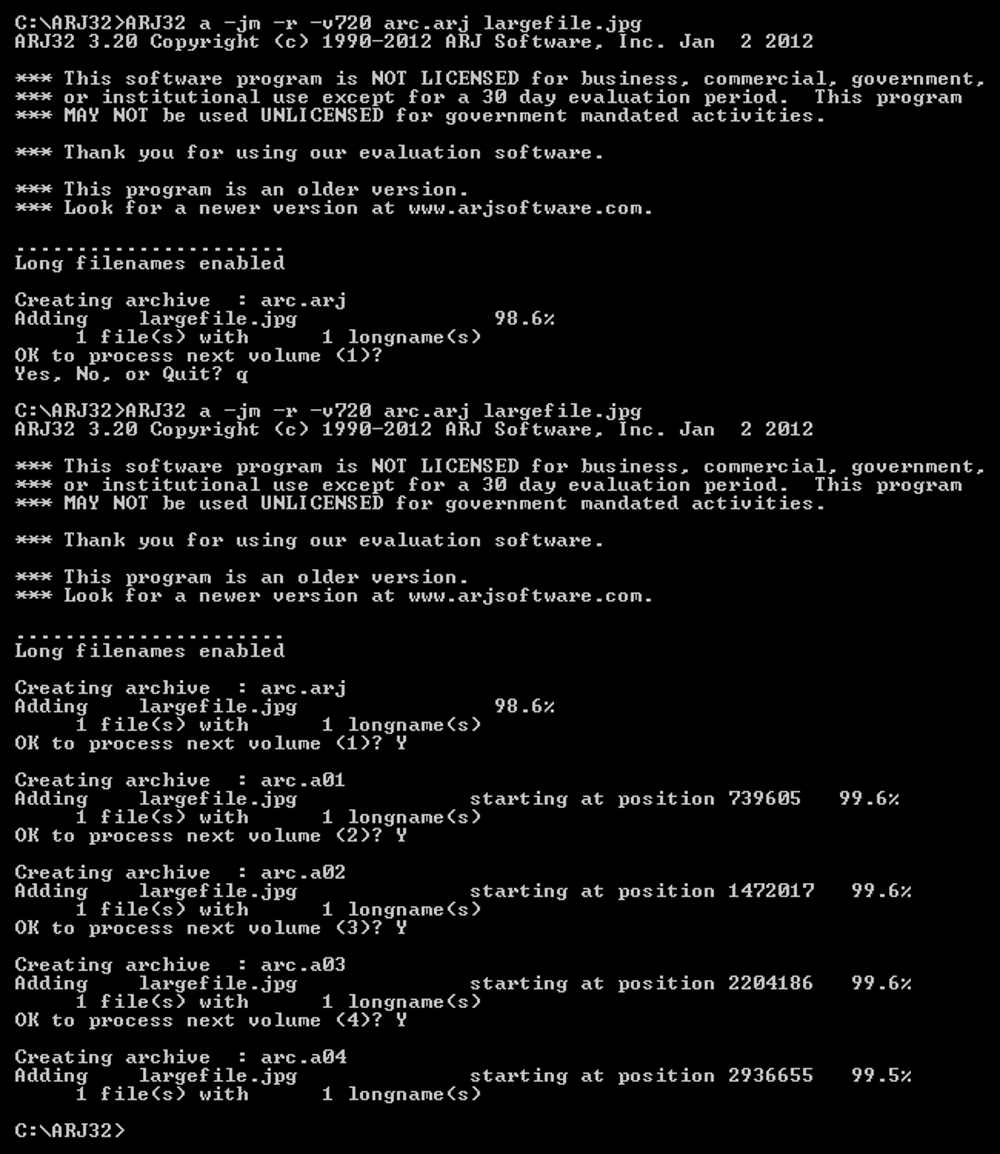
You’ll get multiple files, starting with arc.arj, followed by arc.a01, arc.a02 etc.
Use floppies to shuffle the files across to your ST one-by-one.
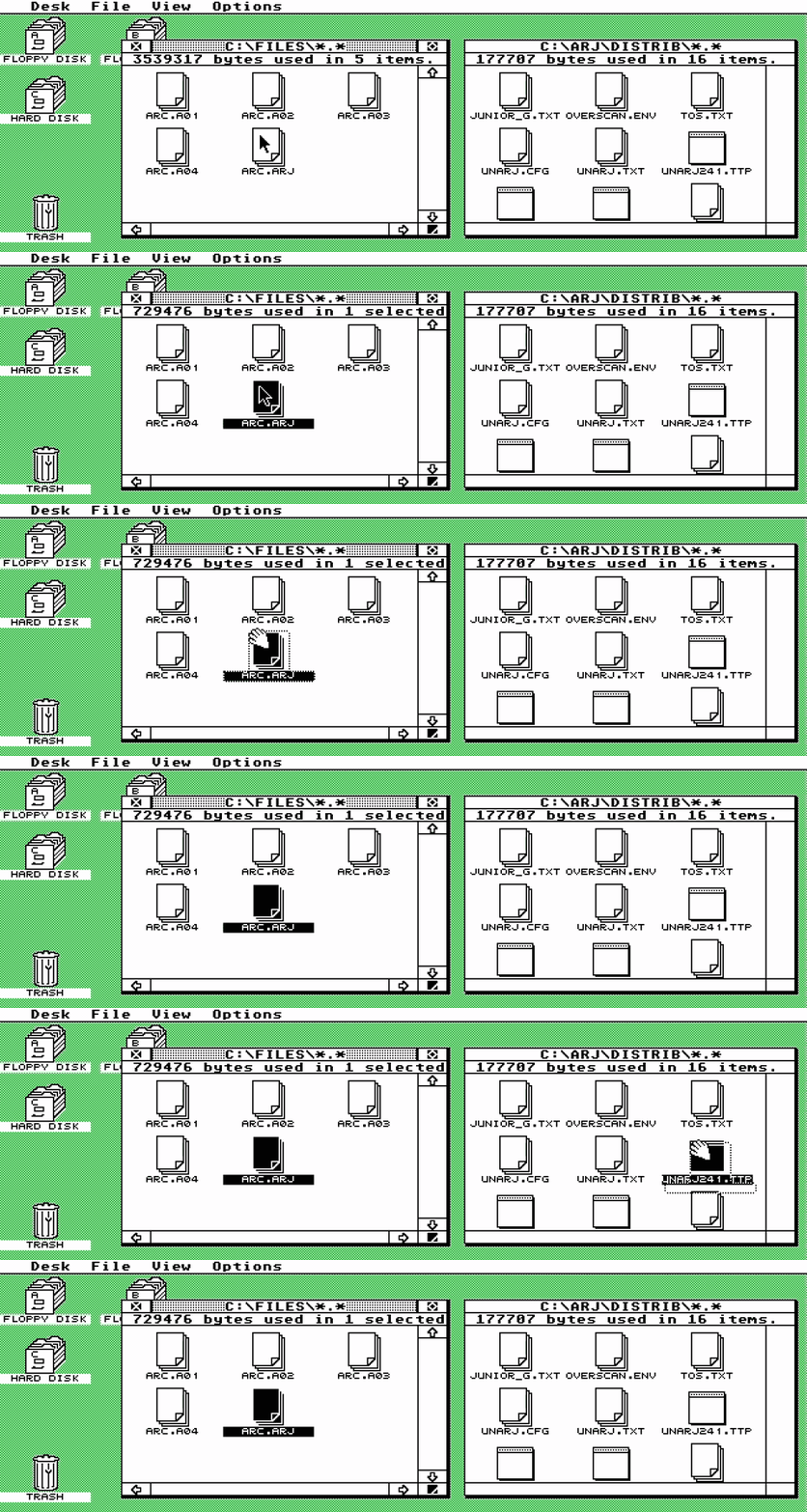
Once you’ve moved all the files across, use UnARJ to extract the original large file. The easiest way is to drag arc.arj onto unarj.ttp, after which UnARJ will work its magic automatically:
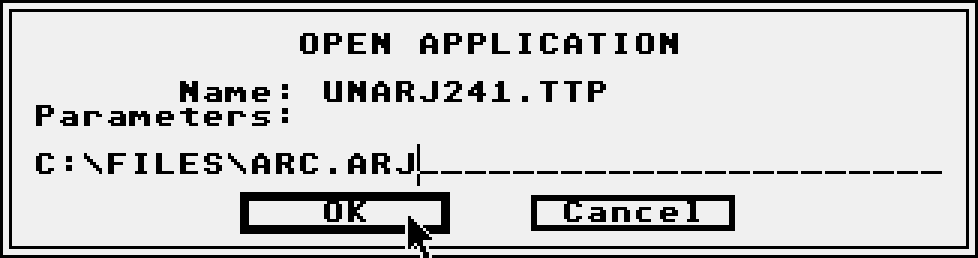
In older versions of TOS, drag-and-drop won’t work - you’ll need to double click unarj.ttp and type in the archive source path:
That’s all there is to it! Easy when you know how.
More Atari ST Posts
- Lotus Esprit Turbo Challenge Enhanced for Atari STE - 17 Apr 2021
- Games With MIDI. The Atari ST Never Sounded So Good! - 19 Jun 2019
- Using an SD card and Ultrasatan to Transfer Files from PC to ST - 08 Mar 2016
- Using Ethernet to Transfer Files from PC to ST - 07 Mar 2016
- Using PARCP-USB to Transfer Files from PC to ST - 24 Feb 2016
- Using Serial Cable and ZMODEM to Transfer Files from PC to ST - 13 Feb 2016
- Using Serial Cable and Ghostlink to Transfer Files from PC to ST - 06 Feb 2016
- How to Split and Copy Large Files to Your Atari ST in Chunks - 31 Jan 2016
- Using Floppy Disk to Transfer Files from PC to ST - 30 Jan 2016
- Transferring Files from PC to ST - 26 Dec 2015
- Use Your PC to Create a Bootable Atari ST Game Disk - 22 Sep 2015
- Playing Downloaded Games on a Real Atari ST - 18 Sep 2015
- Atari in the Attic - 15 Aug 2015

